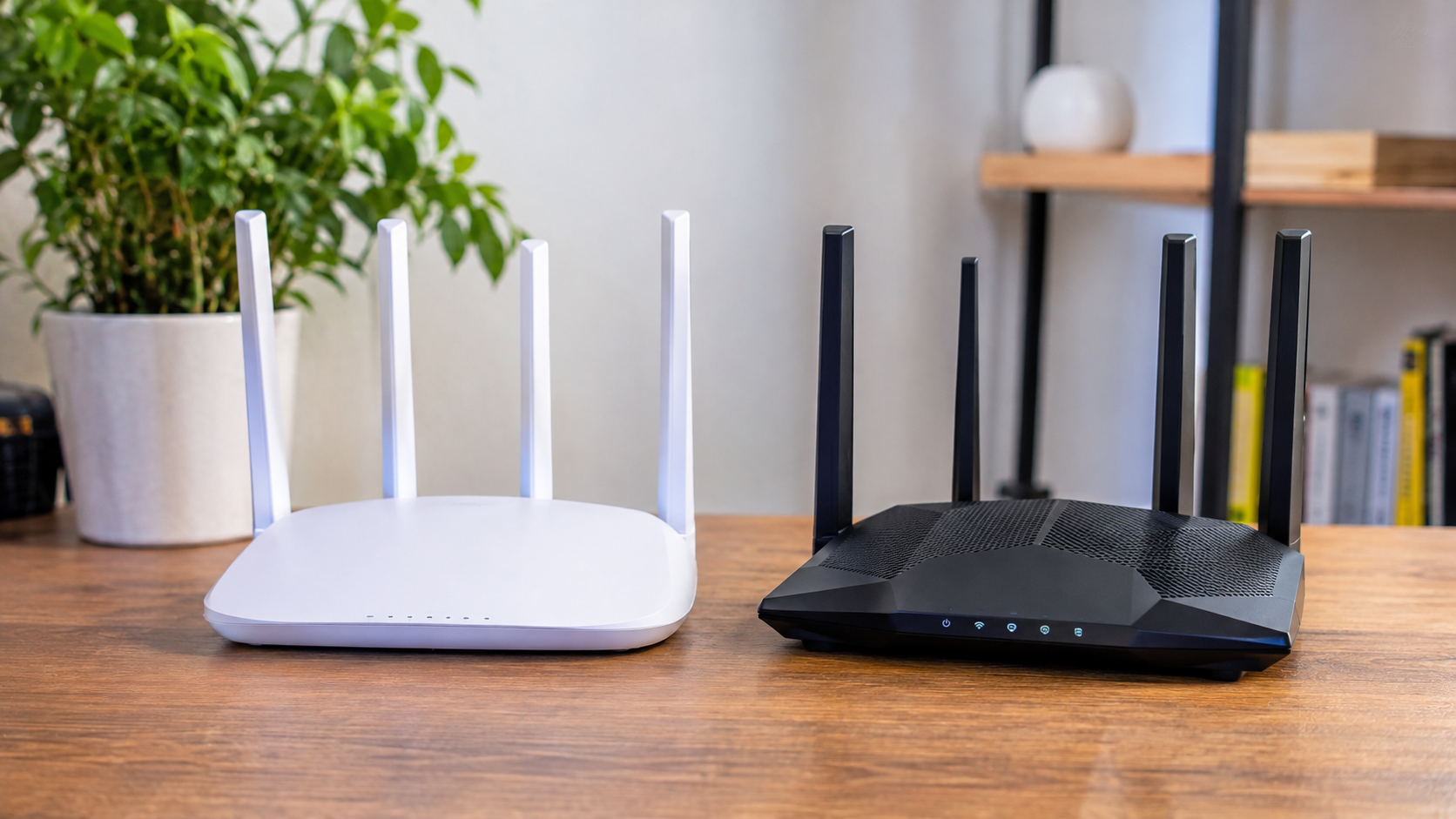



A Wi-Fi 7 router might promise dramatically higher speeds, but replacing a perfectly good Wi-Fi 6 setup could leave everyday internet use feeling almost identical. Websites will not necessarily open faster, movies will not look sharper, and an expensive new router will not fix a slow connection from the internet provider.
For most households with a reliable Wi-Fi 6 network and internet speeds below 1 Gbps, upgrading to Wi-Fi 7 is optional rather than essential. The difference becomes more meaningful with compatible newer devices, multi-gigabit connections, crowded networks, and large local file transfers. Even then, the router's hardware and the home's layout matter enormously.
The Wi-Fi 7 vs. Wi-Fi 6 decision is particularly relevant in November 2026. Black Friday falls on November 27, followed by Cyber Monday on November 30, bringing router upgrades into the seasonal shopping conversation. Meanwhile, CES 2027 is scheduled for January 6–9, making this a reasonable moment to consider whether an upgrade is necessary now.
Before spending money, seven practical checks can reveal whether a new wireless standard will solve a real problem or simply replace a router that already works well.
Wi-Fi 7 vs. Wi-Fi 6 for Home Use – Which Is Actually Better?
Wi-Fi 7 is technically more capable than Wi-Fi 6, but Wi-Fi 6 remains sufficient for many households in 2026. A newer router is most worthwhile when its additional wireless capacity addresses an existing bottleneck.
The distinction matters because two households with identical internet plans can have completely different experiences. A small apartment with four connected devices may need nothing more than a capable Wi-Fi 6 router, while a larger home with multiple computers, wireless gaming systems, and network storage may benefit from Wi-Fi 7.
Wi-Fi 7 vs. Wi-Fi 6 at a Glance
The main differences involve channel width, wireless efficiency, available frequency bands, and support for Multi-Link Operation. These features can improve performance, although their benefits depend on the specific equipment and operating environment.
| Feature | Wi-Fi 6 | Wi-Fi 7 |
| IEEE standard | 802.11ax | 802.11be |
| Theoretical maximum aggregate speed | About 9.6 Gbps | About 46 Gbps |
| Maximum channel width | 160 MHz | 320 MHz where supported |
| Frequency bands | 2.4 and 5 GHz | 2.4 and 5 GHz, optionally 6 GHz |
| Modulation | Up to 1024-QAM | Up to 4096-QAM |
| Multi-Link Operation | No | Yes, with compatible hardware |
| Multi-device efficiency | OFDMA and MU-MIMO | Enhanced resource allocation and MLO |
| Latency potential | Good | Potentially better under suitable conditions |
| Older device support | Yes | Yes |
| Best fit | Everyday home networking | Demanding networks and advanced devices |
The theoretical speed figures describe the standards' maximum capabilities across supported configurations, not the speeds a typical laptop will achieve. A Wi-Fi 7 label alone does not guarantee 6 GHz connectivity, 320 MHz channels, or multi-gigabit performance.
A well-designed Wi-Fi 6 router can therefore outperform an inexpensive Wi-Fi 7 model in certain rooms and conditions. Comparing actual features is more useful than comparing generations alone.
What Makes Wi-Fi 7 Faster Than Wi-Fi 6?
Wi-Fi 7 can transfer more data and use wireless capacity more flexibly through wider channels, improved modulation, and Multi-Link Operation. These technologies raise the potential performance ceiling, but their advantages depend on compatible clients and favorable radio conditions.
Not every improvement produces a noticeable change in normal browsing. The benefits become clearer when the network handles demanding applications or multiple simultaneous transfers.
Multi-Link Operation Can Improve Connection Stability
Multi-Link Operation, commonly called MLO, allows compatible Wi-Fi 7 devices to communicate using multiple wireless links. Depending on the supported configuration, this can improve throughput, reliability, or latency.
Traditional Wi-Fi connections generally rely on one active link for data transmission at a time. MLO introduces greater flexibility, potentially allowing a device to make more effective use of available wireless resources.
For example, a compatible laptop may benefit when traffic conditions differ between supported bands. However, the result depends on how the router and client implement MLO.
Both the router and the connected device must support the relevant MLO capabilities. Installing a Wi-Fi 7 router does not automatically enable those advantages on an older Wi-Fi 6 laptop.
Wider 320 MHz Channels Can Handle More Data
Wi-Fi 7 supports channels as wide as 320 MHz, compared with the 160 MHz maximum supported by Wi-Fi 6. Wider channels can carry more data, making them attractive for high-speed wireless connections and large transfers.
However, the full 320 MHz capability depends on 6 GHz support and regional spectrum availability. Some Wi-Fi 7 routers operate only on 2.4 GHz and 5 GHz, where that headline feature is unavailable.
Wide channels also require sufficient usable spectrum and compatible devices. In a crowded environment, narrower channels can sometimes deliver more consistent results.
A router advertising 320 MHz is therefore most compelling when there are compatible clients, suitable regulatory conditions, and enough wireless capacity to take advantage of it.
4K-QAM Increases Potential Wireless Throughput
Wi-Fi 7 introduces 4096-QAM, often called 4K-QAM, which can deliver approximately 20% higher transmission rates than 1024-QAM under suitable conditions. This improves the amount of information carried by a wireless transmission.
The improvement is most useful when signal quality is excellent. Higher-order modulation requires a cleaner connection, so the advantage may disappear when a device moves farther from the router or encounters interference.
For a laptop sitting near the access point, 4K-QAM may contribute to higher throughput. Behind several walls, stable signal quality and antenna performance often matter more.
Wi-Fi 7 vs. Wi-Fi 6 vs. Wi-Fi 6E – Is the Middle Option Still Worth Buying?
Wi-Fi 6E remains a legitimate alternative in 2026 because it brings the 6 GHz band to Wi-Fi 6 technology. For homes where 5 GHz congestion is the main problem, Wi-Fi 6E may provide a meaningful improvement without requiring a more expensive Wi-Fi 7 system.
Standard Wi-Fi 6 operates on 2.4 GHz and 5 GHz. Wi-Fi 6E adds 6 GHz, while Wi-Fi 7 introduces newer efficiency features and can also use 6 GHz on appropriately equipped models.
| Standard | Main advantage | Main limitation | Most suitable situation |
| Wi-Fi 6 | Mature, capable technology | No 6 GHz band | Budget and everyday home use |
| Wi-Fi 6E | Access to 6 GHz | No Wi-Fi 7 MLO or 320 MHz channels | Congested apartments with compatible devices |
| Dual-band Wi-Fi 7 | Newer wireless efficiency features | No 6 GHz band | Moderate upgrades at competitive prices |
| Tri-band Wi-Fi 7 | 6 GHz plus advanced Wi-Fi 7 capabilities | Usually higher cost | Demanding households and multi-gig networking |
A strong Wi-Fi 6E router can sometimes be a more useful purchase than a budget Wi-Fi 7 router without 6 GHz support. This is especially relevant for households already using 6E-compatible laptops or phones.
The important distinction is between the wireless standard printed on the box and the features the router actually includes. Neither the newest generation nor the highest advertised speed guarantees the best performance in every home.
7 Checks That Reveal Whether Wi-Fi 7 Is Worth Upgrading To
The most reliable way to compare Wi-Fi 7 vs. Wi-Fi 6 for a home network is to examine the current bottleneck before shopping. Internet speed, device compatibility, household traffic, and physical layout provide more useful information than marketing figures.
These seven checks cover the situations most likely to influence whether an upgrade produces a noticeable difference.
1. Is Your Internet Connection Fast Enough to Benefit?
Internet speed is one of the first factors to consider when comparing Wi-Fi 7 vs. Wi-Fi 6. If the existing Wi-Fi 6 connection already delivers the available broadband speed reliably, a newer router cannot increase the speed supplied by the provider.
A household with 300 Mbps internet may already reach approximately that speed over Wi-Fi 6 near the router. Replacing the router with Wi-Fi 7 will not turn the subscription into a gigabit connection.
The situation changes with multi-gigabit broadband. A suitable Wi-Fi 7 setup can make better use of higher connection speeds, provided the router, client, and wired ports are capable of handling them.
The following matrix provides practical guidance rather than guaranteed performance predictions.
| Internet plan | Is Wi-Fi 6 usually enough? | Potential value of Wi-Fi 7 |
| 100 Mbps | Yes | Low for internet speed alone |
| 300 Mbps | Yes | Low unless wireless congestion is significant |
| 500 Mbps | Usually | Moderate with compatible devices and demanding traffic |
| 1 Gbps | Often | Moderate to high, depending on existing performance |
| 2 Gbps or higher | Depends on hardware | High with suitable clients and multi-gig equipment |
A connection's advertised speed is only part of the picture. A router with a 1 Gbps WAN port can also restrict internet throughput, even if its wireless specification promises considerably higher speeds.
2. Do Your Phones and Laptops Actually Support Wi-Fi 7?
A Wi-Fi 7 router can serve older wireless devices, but those devices will continue using the standards they support. This means an existing Wi-Fi 6 phone will not suddenly gain MLO or 320 MHz capability after a router replacement.
Many households contain a mixture of Wi-Fi 5, Wi-Fi 6, Wi-Fi 6E, and Wi-Fi 7 devices. Smart plugs, printers, televisions, and older tablets may use earlier standards for years.
Before upgrading, check the specifications of the devices that matter most:
- Identify the exact laptop or phone model. Check the manufacturer's wireless specifications rather than assuming a recent release includes Wi-Fi 7.
- Check supported frequency bands. A Wi-Fi 7 device may not support 6 GHz.
- Look for channel-width limitations. Some Wi-Fi 7 clients do not support 320 MHz.
- Verify MLO support. Feature availability can differ across hardware and software versions.
- Review operating system and driver support. New wireless capabilities may require current software.
The router and client must support compatible capabilities to realize their benefits. If every important device currently uses Wi-Fi 6 or older hardware, an immediate upgrade may offer limited value.
3. Does Your Household Have Too Many Active Devices?
Wi-Fi 7 can be advantageous in demanding multi-device environments, but the number of connected gadgets alone does not determine whether an upgrade is necessary. What those devices are doing matters much more.
Twenty smart home sensors may generate relatively little traffic. Three computers downloading large files, two cloud backups, and several video streams can create much greater demand.
Wi-Fi 6 already includes technologies designed to manage multiple connections efficiently. Wi-Fi 7 extends those capabilities, particularly where advanced scheduling and MLO are supported.
Consider simultaneous activity rather than counting every device connected to the router. Heavy concurrent traffic is a stronger reason to investigate Wi-Fi 7 than a long list of mostly idle smart home accessories.
4. Is Gaming Lag Caused by the Router?
Wi-Fi 7 can improve wireless latency and reliability in some environments, but it cannot eliminate lag caused by distant game servers, congested internet connections, or insufficient broadband capacity. A stable Wi-Fi 6 connection may already provide an excellent gaming experience.
Competitive multiplayer games generally depend more on consistent latency and low packet loss than extremely high download speeds. Higher maximum throughput does not automatically translate into lower ping.
Wi-Fi 7's MLO capabilities may help compatible devices maintain more reliable wireless communication, especially when local interference or competing traffic causes delays. However, the actual improvement varies with implementation and network conditions.
For desktop gaming, Ethernet remains an effective choice when low and consistent latency is the priority. A wired connection removes many wireless variables regardless of which router generation is installed.
If wireless gaming is essential, compare latency before and after moving closer to the router. A noticeable improvement near the router suggests a signal or interference problem that replacing the wireless standard alone might not solve.
5. Will Wi-Fi 7 Improve Coverage Through Walls?
Wi-Fi 7 does not automatically provide better coverage than Wi-Fi 6. Range depends on radio frequency, transmit power, antenna design, interference, building materials, and router placement.
The 6 GHz band offers valuable additional wireless capacity but generally has less favorable propagation through walls than lower-frequency bands. This can make it particularly useful for nearby devices without guaranteeing excellent performance in distant rooms.
A router placed behind a television or inside a metal cabinet may perform poorly regardless of generation. Moving it to a more central, open location can sometimes produce a larger improvement than buying a faster model.
For larger homes, a properly configured mesh Wi-Fi system or additional wired access point may be more useful than replacing a single Wi-Fi 6 router with one powerful Wi-Fi 7 unit.
If the main problem is a bedroom with almost no signal, prioritize coverage and access-point placement before maximum theoretical speed.
6. Do You Transfer Large Files Across Your Home Network?
Wi-Fi 7 becomes more attractive when a household regularly transfers large files between local devices. These transfers can exceed the speed of the internet subscription because the data stays within the home network.
Examples include moving video projects between computers, accessing large files on network-attached storage, and transferring backups to a local server.
A compatible Wi-Fi 7 laptop and router may provide higher local throughput, particularly when 6 GHz, wide channels, and suitable wired connections are available. However, the storage device's performance and the receiving computer's network adapter can still limit the transfer.
A fast wireless connection offers little advantage if the NAS uses an already saturated 1 Gbps Ethernet port. For demanding local workloads, inspect the entire network path before deciding which component to replace.
7. Is Your Existing Wi-Fi 6 Router Actually Struggling?
A functioning Wi-Fi 6 router does not need replacement simply because a newer standard exists. Consistent speed, reliable coverage, and stable connections are strong reasons to keep existing equipment.
An upgrade becomes easier to justify when the current router frequently disconnects devices, lacks necessary security updates, cannot handle the household's connection speed, or struggles under normal traffic.
However, those symptoms do not automatically prove that Wi-Fi 6 is inadequate. Weak placement, outdated firmware, malfunctioning hardware, and interference can produce similar results.
Before replacing the equipment, check whether the problem affects one device or the entire network. If the connection occasionally disappears completely, the guide to Wi-Fi connected but no internet provides a troubleshooting sequence that separates router problems from internet provider outages and device-specific failures.
A replacement should solve an identifiable limitation rather than simply introduce a newer label.
Does Wi-Fi 7 Make Netflix, YouTube, and Video Calls Better?
Wi-Fi 7 does not improve the picture quality of streaming services when the existing connection already delivers the required data consistently. A stable Wi-Fi 6 connection can comfortably support ordinary streaming and video calls without approaching the maximum capacity of the standard.
The difference becomes more relevant when several demanding activities happen simultaneously or wireless congestion causes buffering. Even then, improving coverage or reducing competing traffic may resolve the problem without requiring a new router.
Wi-Fi 7 vs. Wi-Fi 6 for 4K Streaming
For most homes, Wi-Fi 6 is sufficient for 4K streaming when internet speed and wireless signal quality are adequate. Streaming services use compressed video, so their bandwidth requirements are substantially lower than the peak speeds advertised for modern routers.
A Wi-Fi 7 router may offer additional capacity when several televisions stream simultaneously while other devices perform heavy downloads. But a newer router will not increase a streaming service's available resolution or bypass limitations of the broadband connection.
For a television located far from the router, a wired Ethernet connection or better wireless access-point placement may have a more noticeable effect than switching generations.
Does Wi-Fi 7 Improve Wireless Screen Mirroring?
Wi-Fi 7 can benefit demanding wireless applications when both devices and the network support its advanced capabilities. However, ordinary phone-to-TV mirroring does not inherently require Wi-Fi 7.
Many casting systems depend on compatible applications, device protocols, and stable local network connectivity. Problems with discovery or connection setup may remain unchanged after replacing the router.
For households using AirPlay, Google Cast, or other mirroring methods, the guide to connecting a phone to a TV explains the available wireless and wired options. Choosing the correct connection method may be more useful than replacing working network equipment.
The distinction is straightforward: improving wireless capacity can help with genuine congestion, but it cannot resolve every compatibility or application problem.
Wi-Fi 7 vs. Wi-Fi 6 for Gaming, VR, and Remote Work
Wi-Fi 7 has the greatest potential to improve demanding wireless applications when the existing network is the limiting factor. Gaming, wireless virtual reality, large cloud transfers, and simultaneous household workloads may benefit from higher capacity and improved reliability.
Still, different activities have different priorities. A gamer may care most about latency, while someone editing video over local network storage may prioritize throughput.
| Home activity | Is Wi-Fi 6 enough? | Would Wi-Fi 7 help? |
| Web browsing and email | Yes | Usually not noticeably |
| Streaming 4K video | Yes, with adequate bandwidth | Mainly under heavy congestion |
| Video meetings | Usually | Potentially, if wireless congestion causes problems |
| Competitive online gaming | Often | Possibly, with compatible hardware |
| Wireless PC VR | Depends on the setup | Potentially meaningful |
| Large local file transfers | Depends on existing throughput | Often beneficial with suitable hardware |
| Multi-gigabit internet | Sometimes limited | Can offer substantial benefits |
| Smart home sensors | Yes | Usually unnecessary |
The matrix illustrates why there is no universal answer to the Wi-Fi 7 vs. Wi-Fi 6 question. The best upgrade depends on the workload that currently performs poorly, not the maximum speed printed on the packaging.
For gaming and remote work, a reliable connection is generally more valuable than additional speed that applications never use.
How to Test Whether Your Home Needs Wi-Fi 7
The clearest way to assess Wi-Fi 7 vs. Wi-Fi 6 at home is to measure the current network under realistic conditions. A few tests can reveal whether the internet provider, router, wireless coverage, or an individual device is holding back performance.
Run the tests before purchasing anything. If the existing Wi-Fi 6 setup performs well in every important room, an upgrade is less likely to deliver a dramatic change.
Test Wired Speed Against Wi-Fi Speed
A wired test helps establish whether the internet connection itself is performing as expected. Comparing that result with wireless measurements shows how much performance is lost between the router and the device.
Follow these steps:
- Pause Major Downloads. Stop unnecessary cloud backups, game installations, and large transfers.
- Test a Wired Connection. Connect a suitable computer to the router using Ethernet and measure download speed, upload speed, and latency.
- Check Hardware Limits. Confirm the computer and router ports can support the intended connection speed.
- Test Wi-Fi Nearby. Use the same computer over Wi-Fi if possible, with Ethernet disconnected.
- Repeat in Distant Rooms. Compare speeds where the connection normally feels slow.
- Check During Busy Hours. Repeat important measurements when household activity is highest.
- Record the Results. Note the room, frequency band, device, and observed speed.
The results can help identify whether the network is limited by broadband service, Wi-Fi coverage, or the equipment itself.
For example, a 500 Mbps broadband connection delivering approximately 480 Mbps over Ethernet but only 70 Mbps in a distant bedroom suggests a local wireless bottleneck. It does not prove that Wi-Fi 7 is necessary, since placement and coverage may be responsible.
Check Which Wi-Fi Standard Windows 11 Is Using
Windows 11 can display information about the current wireless connection, including the connection protocol on supported hardware. This is useful when determining whether a laptop is actually connecting through the expected Wi-Fi generation.
Open Settings > Network & internet > Wi-Fi, then inspect the properties of the connected network. The available details can include protocol information, frequency band, and link speed, depending on the adapter and Windows version.
The displayed link speed is the negotiated wireless connection rate, not the actual internet throughput. A reported 1,200 Mbps link does not guarantee a 1,200 Mbps download.
If a modern laptop repeatedly connects using an older wireless standard, check its adapter specifications, drivers, and router settings before deciding that replacement hardware is necessary.
Check Latency While the Network Is Busy
A network can deliver excellent download speeds while suffering from poor latency under load. This often becomes noticeable when video calls freeze or online games lag during large downloads.
Compare latency when the connection is idle with latency while another device performs a sustained download or upload. A substantial increase can indicate queuing or congestion that deserves further investigation.
Router traffic management, suitable Quality of Service settings, or Smart Queue Management may help on compatible equipment. A more expensive Wi-Fi 7 router is not an automatic solution when the bottleneck occurs on the internet connection rather than the wireless link.
Which Wi-Fi 7 Router Features Actually Matter in 2026?
When comparing Wi-Fi 7 vs. Wi-Fi 6 for a new router purchase, the specification sheet deserves more attention than the advertised maximum speed. Models from the same wireless generation can differ considerably in bands, Ethernet ports, antennas, software, and supported features.
A budget Wi-Fi 7 model may omit capabilities that explain much of the standard's headline performance advantage. Paying more is only useful when the missing features matter to the household.
Check These Specifications Before Buying
The following features have the greatest potential to influence everyday performance and long-term usefulness.
- 6 GHz Support. Confirm whether the router is dual-band or tri-band. Not every Wi-Fi 7 model includes 6 GHz.
- 320 MHz Channel Support. Check whether the router and compatible devices can use wider channels in the relevant country.
- Multi-Link Operation. Verify the supported MLO configurations rather than assuming every device uses the feature identically.
- Multi-Gigabit Ports. Look for 2.5 GbE, 5 GbE, or faster ports if broadband or local networking requirements exceed 1 Gbps.
- Router Hardware. Compare processing capabilities and memory where reliable specifications are available.
- Mesh Compatibility. Check whether additional access points can be integrated with the existing system.
- Security and Updates. Review WPA3 support, firmware update history, and the manufacturer's stated support policies.
- Real Coverage Needs. Consider antenna design, access-point placement, and the number of rooms the system must cover.
- Regional Compatibility. Confirm that the model is intended for the country where it will operate.
An expensive router with impressive advertised throughput can still be poorly suited to a large home with thick walls. Conversely, a capable Wi-Fi 6 mesh system may provide better everyday coverage than a single premium Wi-Fi 7 access point.
Does Wi-Fi 7 Require WPA3?
Wi-Fi 7 certification incorporates modern security requirements, and 6 GHz connections use stronger security rules than traditional 2.4 GHz and 5 GHz networks. In practice, compatible security modes and device support must be considered when configuring the router.
Older smart home devices may require WPA2 on supported legacy bands. That does not mean the entire network must be downgraded or that those devices cannot coexist with a modern router.
Separating legacy devices onto an appropriate network can help maintain compatibility. Follow the manufacturer's supported configurations rather than weakening security across every connected device.
Is a Router With a 2.5 Gbps Port Necessary?
A multi-gigabit Ethernet port becomes important when the home internet subscription or local wired network exceeds the capacity of a standard 1 Gbps connection. Without appropriate ports, an otherwise fast wireless router may encounter a wired bottleneck.
For a 300 Mbps internet plan, a 1 Gbps port is normally sufficient for the broadband connection. For a 2 Gbps plan, the router's WAN connection needs enough capacity to handle that service.
Local network storage can also benefit from faster Ethernet connections. However, every component involved in the transfer must support suitable speeds.
Can Wi-Fi 7 Work With Older Wi-Fi 6 Devices?
Yes. Wi-Fi 7 routers are designed to maintain backward compatibility with earlier Wi-Fi generations on the bands and security configurations those devices support. A household does not need to replace every phone, laptop, or smart television when upgrading its router.
Older devices simply communicate using their supported wireless standards. A Wi-Fi 6 laptop remains a Wi-Fi 6 client even when connected to a Wi-Fi 7 router.
Compatibility problems are more likely to arise from settings such as security modes, band configuration, or device-specific firmware than from the generation label alone.
If a smart home device cannot detect the new network, check whether its supported 2.4 GHz band is enabled. Avoid assuming that every older device can use the same security settings as newer equipment.
Does Wi-Fi 7 Work the Same Way in the US, UK, EU, and Ukraine?
No. Wi-Fi 7 hardware may be sold internationally, but the permitted use of the 6 GHz band depends on national or regional radio regulations. This matters because some of Wi-Fi 7's highest advertised speeds rely on wide channels within that band.
The United States provides access to a broader portion of the 6 GHz spectrum for supported unlicensed Wi-Fi operations. European countries generally operate under a more limited allocation, while the United Kingdom has been expanding its regulatory framework.
Ofcom's October 2026 regulations extend license-exempt Wi-Fi access in the UK from 5925–6425 MHz to 5925–6585 MHz, with the change taking effect on November 10, 2026. Device support and permitted operating conditions still determine what users can access.
For Ukraine and other markets, the relevant national regulations and certified regional device specifications should be checked before purchasing equipment from abroad.
A Wi-Fi 7 router sold for the US market may not offer the same permitted channels or wireless behavior in Europe or Ukraine. Regional firmware, radio restrictions, warranty coverage, and power-adapter compatibility are additional considerations.
Buying a locally authorized version is generally safer than relying on an imported model with uncertain regulatory compatibility.
Wi-Fi 7 vs. Wi-Fi 6 Prices – Is It Worth Paying More on Black Friday 2026?
The price difference between Wi-Fi 7 and Wi-Fi 6 routers has narrowed as newer models have become more widely available. However, entry-level Wi-Fi 7 devices and fully equipped tri-band Wi-Fi 7 systems belong to very different product categories.
A discounted Wi-Fi 7 router may look attractive next to an older Wi-Fi 6 model, but comparing price alone can conceal important feature differences.
Black Friday 2026 takes place on November 27, and Cyber Monday follows on November 30. Early November promotions provide an opportunity to compare specifications and record normal prices before the main sale dates.
When a Discounted Wi-Fi 6 Router Is Still the Better Deal
A Wi-Fi 6 router may offer better value when the household needs reliable everyday connectivity rather than advanced multi-gigabit wireless performance. This is particularly true if the alternative is a budget Wi-Fi 7 model with fewer useful ports or weaker overall hardware.
A discounted Wi-Fi 6 mesh system can also be attractive when coverage is the primary concern. More reliable connections throughout the house may matter far more than impressive peak speeds in one room.
Before purchasing, compare the exact model number and its normal selling price. A large advertised discount does not necessarily mean the router offers better value than a more suitable alternative.
When a Wi-Fi 7 Black Friday Deal Makes Sense
A Wi-Fi 7 router becomes more compelling when the price premium is modest and the hardware includes features the household can realistically use. It may also be a reasonable long-term purchase when several connected devices already support the newer standard.
The strongest reasons include multi-gigabit broadband, frequent local file transfers, compatible 6 GHz devices, and an existing router that cannot adequately support current demands.
Check the router's normal price before accepting a seasonal promotion. The Black Friday tech buying checklist covers price history, model comparisons, warranty conditions, and other details that help distinguish genuine savings from misleading discounts.
The best Black Friday router deal is not necessarily the cheapest Wi-Fi 7 model. It is the equipment that solves the household's actual networking problem at a reasonable total cost.
Should You Wait Until CES 2027?
Waiting can be reasonable when the current Wi-Fi 6 network performs well and there is no urgent need to replace the router. CES 2027 is scheduled for January 6–9, providing another opportunity to follow developments in home networking technology.
However, future product announcements do not guarantee immediate availability, lower prices, or meaningful improvements for a particular household. Delaying a necessary replacement may offer little practical benefit.
When the existing setup is reliable, there is no technical requirement to upgrade before the next generation of products appears.
6 Wi-Fi 7 Router Buying Mistakes That Can Waste Money
The most common mistake in a Wi-Fi 7 vs. Wi-Fi 6 comparison is assuming the newer number automatically produces better home internet. In reality, the wrong router can leave the original problem unresolved.
Several errors are especially easy to make during seasonal sales:
- Buying Wi-Fi 7 Without Checking 6 GHz Support. Some inexpensive Wi-Fi 7 routers are dual-band models without the additional spectrum needed for 320 MHz channels.
- Expecting Faster Internet Than the ISP Provides. Wireless technology cannot turn a 300 Mbps subscription into a gigabit connection.
- Ignoring Existing Devices. Older phones and laptops will not gain Wi-Fi 7 capabilities simply by connecting to a new router.
- Assuming Higher Speed Means Better Coverage. Weak signals behind walls often require better placement or additional access points.
- Overlooking Ethernet Port Speeds. A 1 Gbps WAN port can limit a multi-gigabit internet connection regardless of the wireless generation.
- Buying an Unsupported Regional Model. Imported routers may have different radio restrictions, warranty terms, or permitted channels.
These mistakes are avoidable by checking the complete specification sheet and testing the existing network before purchasing. Router generation should be one part of the decision rather than the only selection criterion.
Which Router Should You Choose for Your Home in 2026?
The right choice depends on whether the existing connection needs more speed, better coverage, greater capacity, or simply improved reliability. Wi-Fi 7 offers more advanced technology, but Wi-Fi 6 still provides a strong foundation for everyday home networking.
The following recommendations separate common household situations from the upgrade benefits they are most likely to receive.
| Household situation | Most sensible direction | Main reason |
| Small apartment with 100–300 Mbps internet | Keep or buy Wi-Fi 6 | Sufficient for ordinary use |
| Home with reliable Wi-Fi 6 and 500 Mbps internet | Keep existing router | Limited benefit if performance is already good |
| Congested apartment with 6 GHz devices | Compare Wi-Fi 6E and tri-band Wi-Fi 7 | Additional spectrum may help |
| Large home with dead zones | Improve coverage with mesh or access points | Range matters more than generation |
| Competitive gaming setup | Test Ethernet and latency first | Stability matters more than peak speed |
| Home with several Wi-Fi 7 devices | Consider Wi-Fi 7 | Better opportunity to use advanced features |
| Multi-gigabit fiber and fast local storage | Consider capable Wi-Fi 7 hardware | Greater potential throughput |
| Working Wi-Fi 6 setup with no problems | No immediate upgrade | Little practical reason to replace it |
These recommendations highlight a simple principle: network performance depends on more than the wireless standard. Router quality, home layout, internet capacity, connected devices, and configuration all influence the final experience.
A thoughtful Wi-Fi 6 setup can remain useful for years, while Wi-Fi 7 offers room for expansion when supported workloads and hardware justify the investment.
FAQ About Wi-Fi 7 vs. Wi-Fi 6 for Home Networks
Wi-Fi 7 can be substantially faster with compatible hardware and suitable network conditions. For ordinary browsing and streaming on a connection already handled well by Wi-Fi 6, the difference may be difficult to notice.
Yes. Wi-Fi 6 remains capable of handling streaming, video calls, online gaming, and multiple connected devices. A reliable Wi-Fi 6 network does not need replacement solely because Wi-Fi 7 is available.
Usually not for internet speed alone if the current Wi-Fi 6 setup already performs well. Wi-Fi 7 may still be useful for compatible devices, heavy local transfers, or congestion-related problems.
Not automatically. Wireless range depends on frequency band, transmit power, antennas, interference, and physical obstacles. Better router placement or a mesh system may improve coverage more effectively.
Wi-Fi 7 can offer improved latency and reliability under suitable conditions, particularly with compatible MLO hardware. However, a stable Wi-Fi 6 connection or Ethernet may perform equally well for typical online gaming.
No. Wi-Fi 7 routers support compatible older wireless devices on their supported bands. However, Wi-Fi 7-specific benefits require suitable client hardware and configurations.
It can be. A quality Wi-Fi 6E router with 6 GHz support may outperform a budget dual-band Wi-Fi 7 router in some situations. The answer depends on hardware, connected devices, and local wireless conditions.
No. Some Wi-Fi 7 routers operate only on 2.4 GHz and 5 GHz. Check the exact product specifications if 6 GHz or 320 MHz channels are important.
Only when the home wireless network is responsible for the slowdown. If the internet provider supplies insufficient bandwidth or experiences an outage, changing the Wi-Fi standard cannot fix the underlying issue.
Upgrade when the router offers features that address current needs or when a competitively priced replacement makes sense for future devices. If the existing Wi-Fi 6 network is reliable, a seasonal discount alone is not a compelling reason to replace it.