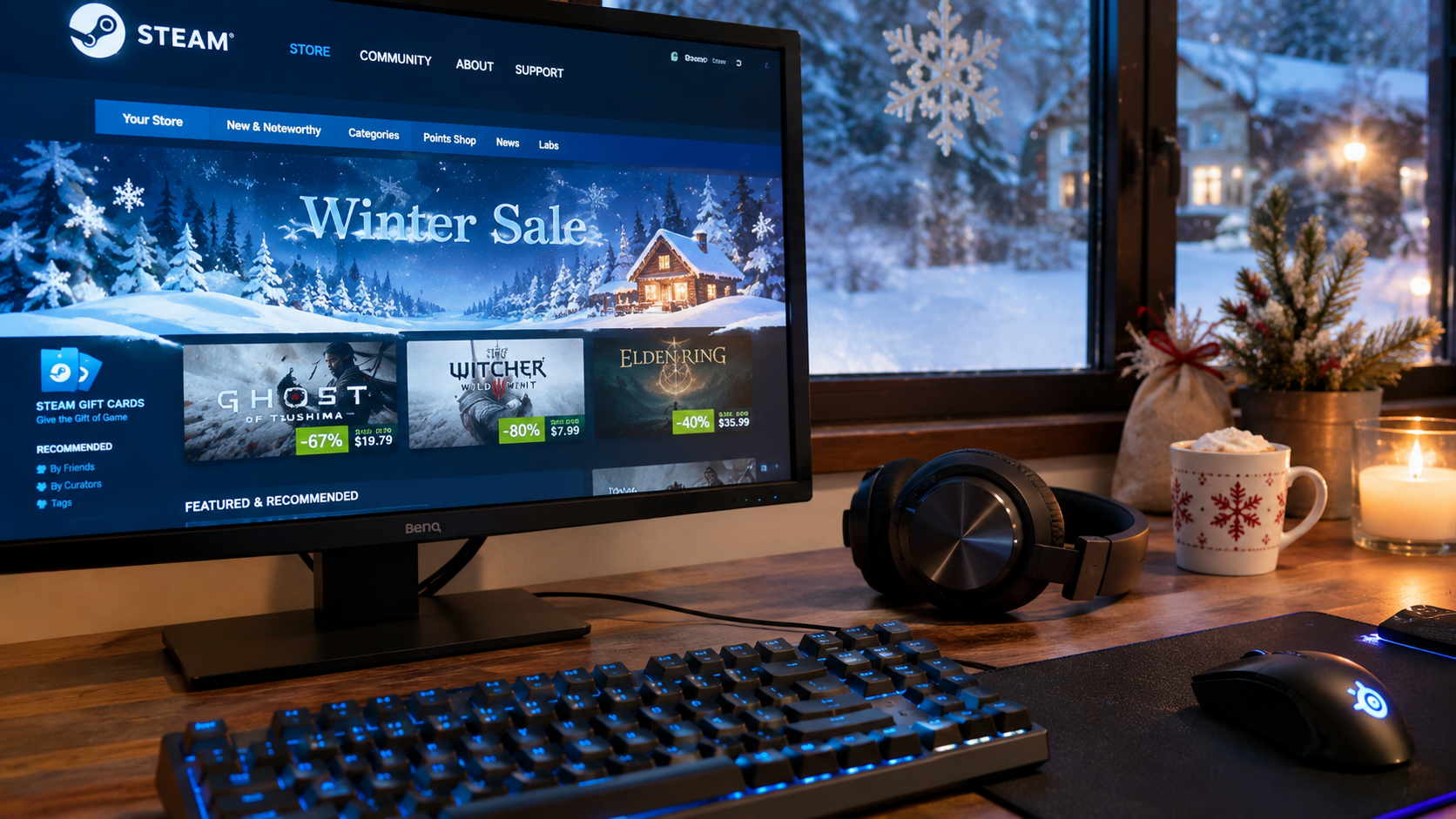




The Steam Winter Sale 2026 begins on Thursday, December 17, at 10 a.m. Pacific Time, and runs until Monday, January 4, 2027. That gives PC gamers 18 days to browse seasonal discounts, compare game editions, and pick up titles they have been waiting to buy.
But the biggest discount percentage does not always mean the best deal. A game marked 70% off might have been cheaper during an earlier promotion, while a discounted bundle could include DLC or soundtracks that the buyer will never use. Spending a few minutes preparing a Steam wishlist can make a noticeable difference.
This year also brings something genuinely useful: Steam introduced custom wishlist categories, more flexible notifications, and improved wishlist sharing in July 2026. These features make it easier to separate must-buy games from those worth purchasing only at a substantial discount.
With the Steam Winter Sale 2026 dates officially confirmed, there is no need to guess when the event will begin. The remaining task is deciding which games deserve a place in the shopping cart and which can wait.
Steam Winter Sale 2026 Dates and Start Times Around the World
The Steam Winter Sale 2026 runs from December 17, 2026, through January 4, 2027. Valve has confirmed the event schedule and the 10 a.m. Pacific Time opening and closing time, so players can prepare for the exact moment the sale begins.
The sale starts simultaneously worldwide, but the local time differs depending on the country. In December, Pacific Time follows Pacific Standard Time (PST), which is eight hours behind Coordinated Universal Time.
What Time Does the Steam Winter Sale 2026 Start?
The Steam Winter Sale 2026 starts at 10 a.m. PST on December 17, corresponding to 1 p.m. in New York, 6 p.m. in London, and 8 p.m. in Kyiv. The same local times apply when the event ends on January 4, 2027.
| Location | Sale starts | Sale ends |
| Los Angeles, USA | Dec. 17, 10 a.m. PST | Jan. 4, 10 a.m. PST |
| New York, USA | Dec. 17, 1 p.m. EST | Jan. 4, 1 p.m. EST |
| London, UK | Dec. 17, 6 p.m. GMT | Jan. 4, 6 p.m. GMT |
| Berlin, Germany | Dec. 17, 7 p.m. CET | Jan. 4, 7 p.m. CET |
| Warsaw, Poland | Dec. 17, 7 p.m. CET | Jan. 4, 7 p.m. CET |
| Kyiv, Ukraine | Dec. 17, 8 p.m. EET | Jan. 4, 8 p.m. EET |
| New Delhi, India | Dec. 17, 11:30 p.m. IST | Jan. 4, 11:30 p.m. IST |
| Tokyo, Japan | Dec. 18, 3 a.m. JST | Jan. 5, 3 a.m. JST |
The time differences are especially useful for players planning purchases from another region or arranging holiday gaming sessions with friends abroad. The final deadline is January 4 at 10 a.m. PST, so waiting until the evening of January 4 in Europe or the United States would be too late.
How Long Will the Steam Winter Sale 2026 Last?
The Steam Winter Sale 2026 lasts 18 days, spanning the Christmas and New Year's holidays. Unlike a short weekend promotion, the event provides enough time to compare offers without making every purchase immediately.
There is no requirement to buy everything on opening day. However, checking the wishlist early helps identify discounts, while reviewing it before the January 4 deadline prevents missing an offer that was worth purchasing.
Will Every Game Be Discounted During the Winter Sale?
No. The Steam Winter Sale is a platform-wide event, but developers and publishers decide whether their games participate and which discounts to offer. Some titles may receive substantial reductions, while others remain at full price.
Valve also applies discount restrictions to recently released games and titles whose base prices have increased within the previous 30 days. These restrictions can prevent certain products from joining the sale immediately.
A game appearing on Steam during the Winter Sale does not mean it will receive a discount. Specific offers must be checked when the event goes live.
How to Prepare Your Steam Winter Sale 2026 Wishlist in 9 Steps
The best Steam Winter Sale 2026 preparation starts with an organized wishlist, a realistic budget, and a way to compare current offers with previous prices. Steam's updated wishlist tools make this considerably easier than maintaining one long, unsorted list of games.
The nine steps below cover everything from choosing games to avoiding costly checkout mistakes. They can be completed before the sale begins, leaving the actual event for comparing prices and making final decisions.
1. Create Wishlist Categories Before the Steam Winter Sale 2026
Steam now allows custom wishlist categories, making it possible to group games by priority, genre, intended platform, or purchase conditions. The feature arrived in July 2026 and is particularly useful for preparing a large holiday shopping list.
A single wishlist with 80 games can be difficult to manage. Separating those games into smaller categories makes it easier to identify which discounts actually matter.
A practical wishlist structure could include:
- Buy at the Right Price. Games that are already high priorities and worth purchasing once their prices reach a reasonable target.
- Deep Discounts Only. Interesting games that can wait until a substantial price reduction appears.
- Holiday Co-op Games. Multiplayer titles intended for Christmas gatherings or online sessions with friends.
- Steam Deck Games. Titles that need additional compatibility checks before purchase.
- Wait for Reviews. Recently released or Early Access games that require more information.
- Gift Ideas. Games that might be suitable presents for friends or family members.
These are suggested category names, not predefined Steam categories. The advantage is that each group reflects a different reason for buying or waiting.
To organize the list, open Steam, navigate to Store > Wishlist, and use the category controls to create and assign custom groups. Existing wishlist items can be organized without removing and adding them again.
2. Turn On Steam Wishlist Sale Notifications
Steam wishlist notifications can alert players when eligible games receive discounts. However, not every price reduction automatically generates an email, so checking the wishlist directly during a major sale remains worthwhile.
Steam's current promotional notification rules generally require a discount of at least 20%, along with other eligibility conditions. Notifications may also be delayed during periods of heavy activity.
Before the Steam Winter Sale 2026 begins, check the account's notification settings.
- Open Steam. Sign in to the account containing the wishlist.
- Select the Account Name. Open the account menu in the upper-right corner.
- Choose Account Details. Navigate to the account management section.
- Open Manage Email Preferences. Review the available Steam communications settings.
- Enable Relevant Notifications. Allow messages about wishlist discounts and other desired updates.
- Verify the Email Address. Confirm that the address associated with the account is active and verified.
- Review Category Notifications. Check whether important wishlist categories have notifications enabled.
Steam's July 2026 update also introduced the ability to customize notifications for individual wishlist categories. This allows players to focus on games they genuinely intend to buy rather than receiving every possible alert.
A notification is useful, but it should not determine the purchase. Open the game's store page, confirm the final price, and check whether the discount meets the original budget.
3. Check Steam Price History Before Trusting a Discount
A game's historical lowest price is often more useful than the percentage displayed on its Steam store page. Price-history tools can reveal whether the current offer is unusually good or simply matches discounts that appear regularly.
For example, a game reduced from $59.99 to $29.99 looks attractive at 50% off. But if it previously sold for $17.99, the new offer is not its lowest recorded price.
The difference is particularly important for older games that participate in multiple promotions throughout the year.
| Game | Regular price | Example sale price | Previous low | Assessment |
| Game A | $59.99 | $29.99 | $17.99 | Previously cheaper |
| Game B | $39.99 | $11.99 | $11.99 | Matches historical low |
| Game C | $29.99 | $14.99 | $19.49 | Better than previous low |
| Game D | $19.99 | $17.99 | $7.99 | Modest discount |
| Game E | $49.99 | $24.99 | No reliable history | Insufficient comparison data |
All prices are hypothetical examples, not confirmed Steam Winter Sale 2026 offers.
The table demonstrates why a large percentage alone cannot establish value. Game C offers a smaller-looking discount than some alternatives but represents a better recorded price than before.
When checking historical prices, compare the same edition and regional currency. The lowest US price does not necessarily match the lowest price available in Ukraine, the UK, or another Steam region.
A historical low is a useful benchmark, not a guarantee that an even lower price will appear later. A purchase can still be reasonable above that benchmark when the game will be played immediately.
4. Set a Game Budget Before December 17
A fixed spending limit can prevent a Steam Winter Sale 2026 shopping cart from growing beyond what was originally planned. The easiest method is to divide the available budget between high-priority games, optional purchases, and a small reserve.
For example, a $60 budget could be split between one major purchase and several smaller games. The exact amounts depend on personal preferences, but separating priorities helps avoid spending most of the money on impulse purchases.
Consider this example budget.
| Category | Budget | Purchase goal |
| Main wishlist game | $30 | One high-priority title |
| Smaller games | $20 | One or two discounted titles |
| Reserve | $10 | Unexpected good offer or applicable taxes |
| Total | $60 | Controlled holiday spending |
The budget is more effective when paired with a clear buying rule. A game can be added to the cart only if its price is acceptable and there is a realistic intention to play it.
The same price-checking principles apply to other seasonal purchases. A Black Friday tech buying checklist can help establish realistic target prices and compare product versions, which is useful when a gaming budget also needs to cover hardware or accessories.
Steam Wallet funds can make spending easier to monitor, but adding money to the wallet does not make an unnecessary purchase more economical. The relevant figure remains the total cost of the games.
5. Compare Steam Bundles With Individual Game Prices
Steam bundles can be an excellent way to buy several related games or expansions, but the final value depends on what the bundle includes and which products are already owned. Comparing only the headline discount can produce the wrong conclusion.
Steam supports different bundle structures, including Complete The Set and Must Purchase Together. Their purchase conditions are not identical.
A Complete The Set bundle adjusts the price for eligible products that the customer does not already own. This can make franchise collections particularly attractive to players who purchased earlier installments.
A Must Purchase Together bundle requires buying the included products as a package and may not be available to an account that already owns part of it.
The comparison should include the following details:
- Identify the Bundle Type. Check whether its price adjusts for products already owned.
- Review the Included Games. Make sure every major title is relevant.
- Check DLC and Soundtracks. Determine whether additional content is actually wanted.
- Compare Individual Prices. Add up the discounted cost of the products that would be purchased separately.
- Inspect the Final Cart Total. Confirm the amount before payment.
Bundle discounts can sometimes apply on top of individual game discounts. That can produce attractive combined offers, but the result varies with the products and bundle configuration.
A bundle is only a better deal when its final price is lower for the content the buyer actually wants. Paying extra for unwanted expansions is not saving money.
6. Check PC Requirements and Steam Deck Compatibility
Before buying discounted games, confirm that the intended computer or handheld device can run them. A substantial discount offers little practical value if the game requires hardware that is unavailable.
Steam store pages list minimum and recommended system requirements, although these specifications do not always communicate the exact performance a particular computer will deliver.
Pay particular attention to the processor, graphics card, RAM, operating system, and available storage.
For Steam Deck users, compatibility labels provide an additional starting point. The platform uses four classifications:
- Verified. The game meets Steam Deck's verification criteria and is intended to work well by default.
- Playable. The game can run but may require adjustments or manual interaction.
- Unsupported. The title is not considered playable under the current verification assessment.
- Unknown. Valve has not completed a compatibility assessment.
These labels help narrow the choice, but they do not guarantee identical performance across every game update or configuration.
Checking the game's recent user reviews can reveal performance issues that are not obvious from minimum specifications. Older laptops also deserve additional attention when a discounted game requires more VRAM or storage than the system provides.
7. Try Demos and Review Recent Updates Before Buying
Free demos can help determine whether a game is enjoyable or suitable for the intended hardware before money is spent. This is especially useful for unfamiliar genres, demanding games, or titles with mixed recent reviews.
Steam's 2026 wishlist improvements make available demos more visible and introduce notifications for certain newly released demos. These features can help players evaluate games already being considered for the Winter Sale.
Reviews should also be read in context. A title may have strong overall ratings but more critical recent feedback following a major update, monetization change, or performance issue.
For Early Access titles, inspect the current playable content rather than assuming every planned feature will eventually arrive. Buying based only on an ambitious roadmap can create disappointment.
There is also a specific reason some newer games may not receive Steam Winter Sale 2026 discounts. Valve's standard rules generally prevent discounts within 30 days of a game's release or a base-price increase, although applicable release and promotion conditions can differ.
A newly released title remaining at full price is therefore not necessarily an oversight.
8. Use the New Steam Wishlist Sharing Features for Holiday Gifts
Steam introduced significant gifting improvements in July 2026, making wishlists more useful for holiday shopping. Players can now share filtered wishlist categories, and the recipient's desired games can be purchased directly from the shared selection.
The updated system also supports guest purchases of eligible games and the ability to send gifts through email. This reduces the need for someone buying a present to understand every aspect of the recipient's Steam account.
For Christmas gifts, a dedicated wishlist category can be particularly helpful.
Create a list containing games that would make suitable presents, then use Steam's sharing controls to generate a link to that filtered selection. People with the link can view the shared games even when the main wishlist is private, subject to the sharing settings.
A shared wishlist link should be treated as accessible to anyone who receives it. Steam provides controls to revoke shared links when they are no longer needed.
Gift purchases also require attention to regional restrictions and recipient details. Steam's newer cross-region gifting options can adjust the purchase price to the recipient's region in supported situations, but eligibility depends on the purchase method and account relationship.
Email gifts that remain unaccepted for 30 days are automatically refunded under Steam's published conditions. Check the available delivery options and limitations rather than assuming a gift can be scheduled for any future holiday date.
9. Prepare Downloads and Storage Before the Sale Begins
Buying several discounted games is only the first part of the process. Large installations, updates, and limited SSD capacity can delay the moment those games are ready to play.
Before the Steam Winter Sale 2026 begins, review available storage and identify which installed games are no longer needed. Steam's Storage settings can help manage library locations and move installed games between compatible drives.
Avoid deleting save files simply to create space. Cloud synchronization does not cover every game, and some titles store important progress outside their installation folders.
Before removing older games or changing storage drives, a guide to backing up game saves on PC can help protect local progress and verify that saves remain recoverable. This is especially relevant when preparing a smaller SSD for several holiday installations.
Download timing also matters on shared networks. Steam includes bandwidth limits and automatic-update scheduling that can reduce competition with video calls, streaming, and online gaming.
Preparing storage and connection settings before December 17 can make the first holiday gaming session considerably smoother.
How to Tell Whether a Steam Winter Sale 2026 Deal Is Actually Good
A worthwhile Steam Winter Sale 2026 offer combines an acceptable price with a game that is likely to be played. The discount percentage is only one factor, and it should be considered alongside historical prices, gameplay interest, compatibility, and included content.
A simple decision matrix can prevent misleading comparisons between unrelated purchases.
| Situation | Best next step | Reason |
| Game matches its historical low and is a priority | Consider buying | Strong price and clear demand |
| Game reaches a new recorded low | Review carefully | Attractive price, but quality still matters |
| Discount is small and the game is not urgent | Keep wishlisted | Little reason to rush |
| Bundle contains several unwanted titles | Compare separately | Headline savings may be misleading |
| Game is incompatible with current hardware | Avoid or postpone | Discount does not fix compatibility |
| Early Access reviews raise concerns | Try demo or wait | Current experience may be incomplete |
| Game is already owned through another purchase | Check library and editions | Avoid duplicate spending |
The best Steam Winter Sale 2026 purchase is not necessarily the one with the largest discount. A $15 game that gets played over the holidays can offer more practical value than a $5 purchase that remains untouched.
Another useful distinction is between a game that would be purchased at the regular price and one that looks appealing only because it is discounted. The second deserves closer scrutiny.
Are 70% and 90% Steam Discounts Always Worth It?
No. A 70% or 90% discount can represent substantial savings, but only when the game is genuinely wanted and the reference price is meaningful.
Older games may receive similar reductions during numerous promotions. Meanwhile, a modest 20% discount on a recently released title may be unusual, although it is not automatically a better purchase.
Checking previous prices provides context that the discount percentage cannot supply. The same principle applies to deluxe editions, expansion passes, and franchise bundles.
Should You Buy Immediately or Wait Until January 4?
A game that meets the target price and purchase criteria can be bought early in the Steam Winter Sale. There is generally no advantage in waiting merely because the sale lasts several weeks.
Steam's major seasonal events do not rely on the old system of rapid flash deals that required customers to check prices every few hours. However, individual products, availability, and promotional circumstances can still differ.
Waiting makes sense when more time is needed to read reviews, evaluate a demo, or compare editions. It is less useful when the price is already acceptable and the game will be played immediately.
Do not wait until after the official January 4 deadline expecting Steam to honor an expired Winter Sale discount.
Steam Winter Sale 2026 Refund Rules – Can You Return a Discounted Game?
Yes. Games purchased during the Steam Winter Sale 2026 generally follow Steam's standard refund policy. A discounted game is not automatically excluded from refund eligibility merely because it was purchased during a seasonal promotion.
For ordinary eligible game purchases, Steam's standard policy allows refund requests within 14 days of purchase and with less than two hours of playtime. Certain products and special circumstances have different conditions.
A refund request can still be submitted outside those limits, but approval is not guaranteed.
How to Refund a Steam Winter Sale Purchase
A Steam refund request can be submitted through the account's purchase history and support system. The process is available for eligible purchases made during seasonal promotions.
Follow these steps:
- Open Steam Support. Sign in with the account used for the purchase.
- Select Purchases. Find the transaction associated with the game.
- Choose the Game. Open the relevant purchase details.
- Select the Problem. Choose the reason that best describes the issue.
- Request a Refund. Open the available refund form.
- Choose the Refund Destination. Select Steam Wallet or an eligible original payment method.
- Submit the Request. Wait for confirmation and the decision.
Refund processing is not always immediate. Approved refunds to original payment methods can take several days, while Steam Wallet credit may become available sooner.
Do not assume money returned from a purchase will be available before the January 4 sale deadline. If the refund is intended to fund another discounted game, processing time is relevant.
What If You Bought a Game Just Before the Winter Sale?
Steam permits eligible refunds for games purchased shortly before a discount, including cases where the buyer intends to repurchase at the lower price. The standard eligibility conditions still apply.
For example, a game purchased at full price on December 15 could be eligible for a refund after the sale begins on December 17, provided the purchase remains within the relevant time and playtime limits.
Steam does not automatically refund the difference whenever a game's price drops. The appropriate route is to submit an eligible refund request, wait for approval, and make a new purchase if desired.
Refund approval and repayment timing are not guaranteed to coincide with a sale deadline. Repeated misuse of the refund system can also result in restrictions.
Are Steam Winter Sale Bundles Refundable?
Some Steam bundles can be refunded, but their conditions differ from individual game purchases. Steam's policy generally requires that none of the included products have been transferred and that the combined usage time remains below two hours.
This is important when a bundle contains multiple games. The relevant playtime is not necessarily treated as two hours for each separate title.
Bundles containing certain nonrefundable items or DLC may have additional limitations. Check the refund eligibility shown during purchase rather than assuming every collection has identical terms.
Will Steam Games Be Cheaper During Winter Sale Than Black Friday?
Not necessarily. Steam's Winter Sale and Black Friday promotions involve different timing and potentially different participating publishers. A major seasonal sale does not guarantee that every game reaches a lower price than during previous promotions.
The Steam Autumn Sale 2026 ran from October 1 through October 8, while Black Friday falls on November 27. The Steam Winter Sale 2026 begins several weeks later, on December 17.
Some games may receive similar discounts at different points in the year. Others may be discounted only during certain promotions or remain at their regular prices.
The most effective comparison is therefore game-specific rather than event-specific. Historical pricing, the exact edition, and the final regional price all matter more than the name of the promotion.
Can Steam Coupons Be Combined With Winter Sale Discounts?
Usually not. Steam's purchasing guidance states that promotions such as coupons or loyalty discounts generally do not stack with Steam Sale pricing unless the offer explicitly provides otherwise.
Bundle discounts are a separate situation and can be applied alongside eligible discounts on their component products. This is why the final cart price should always be checked before payment.
Do not assume that a coupon, bundle offer, or special promotion can be combined simply because each appears separately in the store.
What About the Steam Awards 2026 During the Winter Sale?
The Steam Awards 2026 are part of the Steam Winter Sale event, with Valve confirming that players will be able to vote for their favorite games during the seasonal celebration. The awards provide an additional reason to explore notable releases rather than focusing exclusively on prices.
The voting feature is separate from purchasing games. Participating in the Steam Awards does not require buying every nominated title, and the awards should not be treated as a guarantee that a particular game will receive a discount.
The final nominees, voting interface, and any event-specific details should be checked when Valve publishes them. Until those details are confirmed, individual winners and promotions should not be presented as established facts.
What to Do When Steam Downloads Are Slow During the Winter Sale
Slow Steam downloads can result from a congested internet connection, busy download servers, local storage limitations, or the game installation process. During a major holiday sale, large game downloads may compete with other household activities.
The fastest solution depends on which part of the process is actually slow. A download stuck at zero network speed does not necessarily indicate a broken internet connection.
Why Steam Can Show 0 B/s While Installing a Game
Steam may temporarily pause network transfers while unpacking, patching, or verifying downloaded content. The Downloads page displays network and disk activity, helping distinguish normal installation work from a genuine stall.
If the network speed falls to zero but disk activity remains high, the computer may still be processing the installation. Restarting Steam repeatedly can interrupt that work without solving the underlying issue.
For persistent problems, the guide to Steam downloads stuck at 0 B/s explains how to inspect storage activity, check download cache problems, and identify common installation bottlenecks. These checks are useful before deleting games or making unnecessary changes to Windows.
If several large installations are planned, leaving adequate free storage and downloading games outside busy network hours can reduce avoidable interruptions.
7 Steam Winter Sale 2026 Mistakes That Can Waste Your Budget
Most disappointing Steam Winter Sale 2026 purchases are not caused by missing the biggest discount. They usually result from buying games without checking the edition, compatibility, real price history, or likelihood of playing them.
These mistakes are particularly easy to make when dozens of attractive offers appear together.
- Buying Only Because the Discount Is Large. A 90% reduction does not make an unwanted game useful.
- Ignoring Previous Prices. A dramatic discount may simply match a price offered regularly throughout the year.
- Choosing the Wrong Edition. Deluxe versions and bundles can include content that offers little additional value.
- Skipping Hardware Requirements. A discounted game may run poorly or fail to launch on older hardware.
- Assuming Every Wishlist Discount Generates an Email. Notification eligibility and delivery conditions can prevent some alerts.
- Misunderstanding Refund Limits. The standard two-hour playtime threshold does not guarantee that every bundle or special product follows identical rules.
- Waiting Beyond the Sale Deadline. Discounts end according to Steam's Pacific Time schedule, not at midnight in every country.
A short review of the shopping cart can prevent all seven mistakes. The goal is to buy games that offer good value and will actually be played, not to maximize the number of titles purchased.
Steam Winter Sale 2026 Checklist Before December 17
The most effective Steam Winter Sale 2026 preparation combines an organized wishlist with a spending limit and a clear purchase plan. Once those are in place, the sale becomes easier to navigate without reacting to every discount.
This checklist covers the essential tasks before the opening day.
- Confirm the Steam Winter Sale dates: December 17, 2026, through January 4, 2027.
- Set a reminder for 10 a.m. PST on December 17.
- Organize the Steam wishlist into priority categories.
- Enable relevant wishlist notifications and verify the account email address.
- Record target prices for the most important games.
- Check previous discounts in the correct regional currency.
- Set a total budget before opening the shopping cart.
- Compare base games, deluxe editions, DLC, and bundles.
- Verify PC or Steam Deck compatibility.
- Try available demos and review recent feedback.
- Check holiday gift restrictions and recipient details.
- Prepare sufficient SSD space for planned installations.
- Review Steam's refund conditions before purchasing.
- Recheck the wishlist before the January 4 deadline.
Completing these tasks makes it easier to distinguish a genuinely good deal from a purchase driven by the temporary excitement of a seasonal promotion. It also reduces the risk of buying incompatible games or spending money on content that will remain unused.
FAQ About Steam Winter Sale 2026 Dates, Discounts, and Wishlists
The Steam Winter Sale 2026 starts on Thursday, December 17, at 10 a.m. PST. That corresponds to 1 p.m. EST, 6 p.m. GMT, 7 p.m. CET, and 8 p.m. EET.
The event ends on Monday, January 4, 2027, at 10 a.m. PST. The sale lasts 18 days, covering Christmas, New Year's Eve, and the first days of January.
Organize games into custom categories, enable relevant discount notifications, check historical prices, and set purchase priorities. Steam's July 2026 wishlist update also allows category-specific notification settings and filtered sharing.
No. Publishers choose whether to participate and what discounts to offer. Recently released games and certain titles subject to pricing restrictions may not receive a seasonal discount.
Not necessarily. Discount percentages depend on the individual game and publisher, so some titles may be equally cheap during several seasonal events. Historical price comparisons are more useful than assuming one sale always offers better prices.
Generally, yes. Steam's standard refund policy covers eligible games purchased within 14 days and played for less than two hours. Different conditions may apply to bundles, DLC, and certain other purchases.
Yes. Steam supports sharing complete wishlists or filtered categories, and its 2026 updates expanded direct gifting options. Check regional restrictions and recipient details before purchasing a gift.
No. Steam's promotional notifications generally require qualifying discounts of at least 20%, along with other conditions. Email verification, notification preferences, and delivery delays can also affect whether an alert arrives.
Usually not if the desired game is already available at an acceptable price. Waiting may help when more research is needed, but it does not guarantee a deeper discount. The event ends at 10 a.m. PST on January 4.