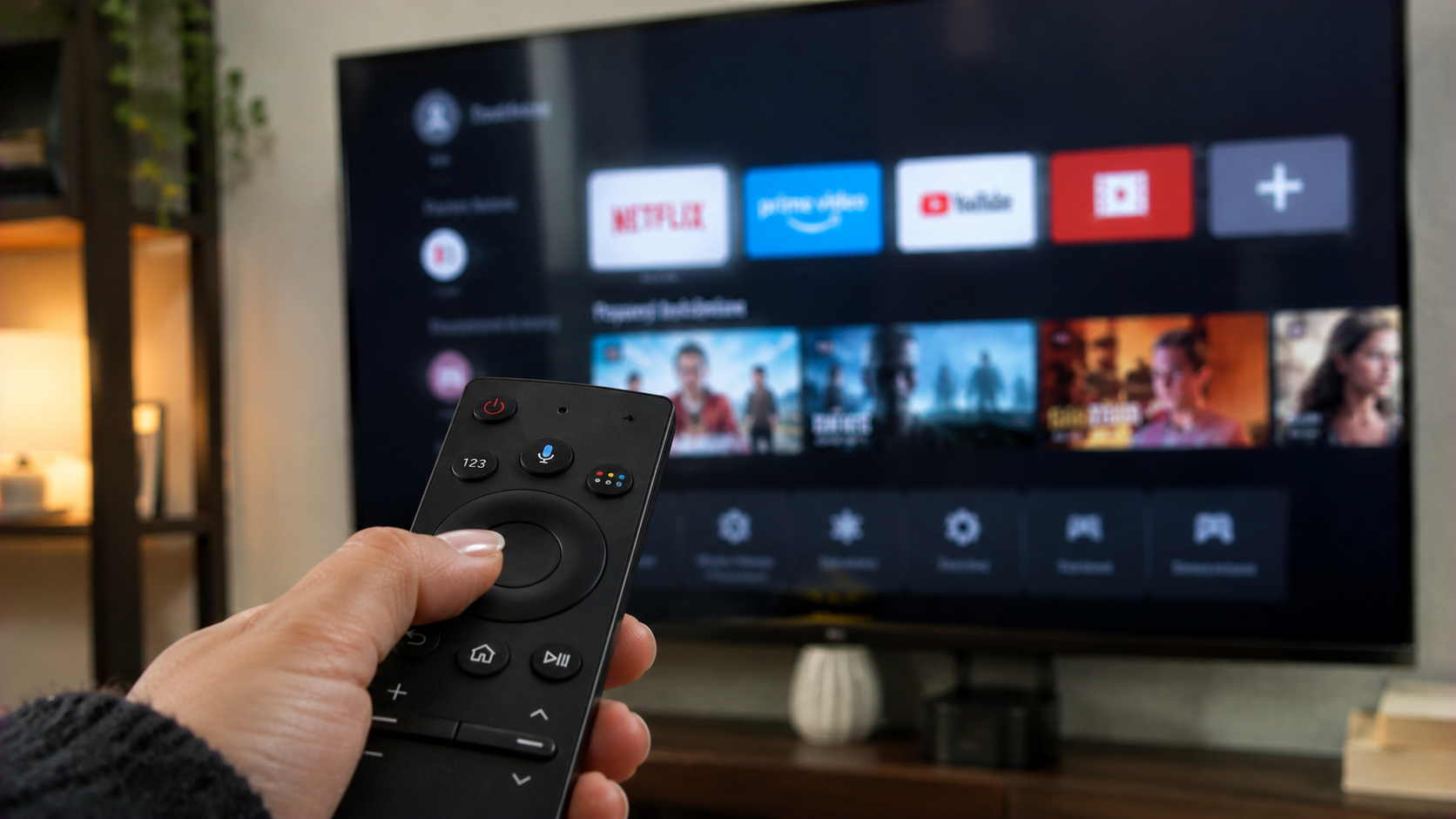


Smart TV tracking can collect information about the movies, television shows, commercials, and other content displayed on your television, sometimes even when you are using a gaming console or an external device connected through HDMI. Much of this viewing-data collection relies on a technology called Automatic Content Recognition, or ACR. To reduce smart TV tracking, you need to disable ACR, review advertising preferences, and check the privacy settings of individual streaming apps.
A television does not necessarily need a camera or a microphone to identify what you are watching. Depending on its operating system, it may use digital fingerprints generated from video or audio signals to recognize content and associate viewing activity with a device or household.
The issue has received renewed attention following the publication of smart TV privacy research in 2026. Researchers at Northeastern University examined 12 commercially available televisions across eight operating systems and conducted 5,943 automated experiments. Their findings suggest that disabling viewing-data collection does not always eliminate every network activity associated with content recognition.
With Black Friday, Cyber Monday, and the Christmas shopping season approaching, millions of households are considering television upgrades. A new 65-inch OLED or QLED television may offer better picture quality, faster streaming performance, and improved gaming features, but its privacy settings deserve just as much attention as its display specifications.
Turning off smart TV tracking does not necessarily mean losing Netflix, YouTube, live television, or gaming features. However, disabling one privacy setting is rarely enough to prevent every company associated with your television from collecting information.
What Is Smart TV Tracking and How Does It Work?
Smart TV tracking refers to the collection and processing of information about how an internet-connected television is used. Depending on the manufacturer, operating system, installed applications, and privacy preferences, this information may include viewing activity, device identifiers, app usage, advertising interactions, and technical diagnostics.
Automatic Content Recognition is particularly important because it can operate at the television platform level rather than being limited to a single streaming application. This gives certain television systems the ability to recognize content from multiple sources.
For example, a streaming service normally knows which movies you watch through its own application. A television equipped with ACR may also recognize programming displayed through an antenna, cable receiver, or external HDMI device.
The exact capabilities depend on the television model, software, implementation, and whether the relevant feature is enabled.
How Automatic Content Recognition Enables Smart TV Tracking
Automatic Content Recognition compares information derived from displayed content with a reference database. The basic concept is similar to a music identification application recognizing a song from a short audio sample.
A television may generate a compact digital representation of video or audio, send relevant information to a recognition service, and receive or record a match identifying the content.
Unlike a conventional video recording, a digital fingerprint is generally designed to represent identifying characteristics rather than reproduce an entire movie or television episode.
The process can involve several stages:
- The television processes a sample of its audio or video output.
- The recognition system generates identifying information from that content.
- Relevant information is communicated to a recognition provider.
- The provider compares the information with known programming.
- A successful match may be associated with a viewing event.
- Viewing activity may be used for recommendations, audience measurement, or advertising.
Not all manufacturers use the same recognition technique. Some systems rely more heavily on audio characteristics, while others analyze visual information.
What Information Can Smart TV Tracking Collect?
Smart TV tracking can involve much more than a list of watched movies. Different platform services may collect information about the television itself, how it is connected, and the way household members interact with its applications.
| Information | Potential purpose |
| Television programs watched | Audience measurement and recommendations |
| Viewing duration | Engagement analysis |
| Commercials displayed | Advertising measurement |
| Application usage | Product analytics and personalization |
| Device identifiers | Recognizing individual television devices |
| IP address | Network identification and approximate location |
| Input source | Understanding how the television is used |
| Voice searches | Providing voice-controlled features |
| Advertising interactions | Campaign performance measurement |
| Technical diagnostics | Troubleshooting and software improvement |
| Account information | Account management and personalization |
A particular television does not necessarily collect every category listed above. The relevant information depends on the platform, enabled services, applicable privacy agreements, and regional requirements.
Why Smart TV Tracking Has Become a Bigger Privacy Concern in 2026
Smart TV tracking has become more significant as television manufacturers increasingly develop their own advertising platforms, free streaming services, and personalized home screens. A modern television is not simply a display connected to the internet. It can also function as a software platform that supports ongoing commercial services.
For consumers, this creates a trade-off between convenient features and the amount of information shared with manufacturers and their partners.
Privacy concerns are not entirely new. In 2017, the US Federal Trade Commission and New Jersey authorities reached a $2.2 million settlement with Vizio over allegations involving the collection of viewing histories from approximately 11 million televisions without adequately informed consumer consent.
The technology and available privacy controls have evolved considerably since then. However, the underlying question remains relevant: how much information should a television collect after the consumer has already paid for the device?
What the 2026 Smart TV Tracking Study Revealed
The 2026 Northeastern University research project examined television behavior under different viewing conditions, including antenna broadcasts, HDMI connections, streaming applications, and screen mirroring.
The researchers compared network activity with content recognition enabled and disabled. Their findings indicated that the effectiveness of privacy controls varied significantly across the tested platforms.
Among the important conclusions were differences in recognition behavior depending on the content source and continuing recognition-related network activity on certain devices after users had opted out.
These findings should not be interpreted as proof that every television from a particular brand behaves identically. The experiments involved specific models, firmware versions, and US market configurations. Nevertheless, they demonstrate why privacy controls deserve careful examination rather than blind trust.
Can Smart TV Tracking Continue When You Use HDMI?
Smart TV tracking can recognize content from HDMI-connected devices on certain television platforms. This means that replacing built-in streaming applications with an external streaming stick does not automatically prevent the television itself from collecting viewing information.
The HDMI connection delivers video and audio to the television. If the television's recognition system analyzes the displayed output, it may identify content regardless of which connected device supplied it.
This can affect households using cable receivers, Blu-ray players, gaming consoles, media computers, or dedicated streaming devices.
Which Devices Can Be Affected by Smart TV Tracking?
The potential for content recognition depends on the television rather than simply the device connected to it.
| Viewing source | Potential television-level recognition |
| Cable television receiver | Possible |
| Satellite television receiver | Possible |
| Digital antenna | Possible |
| PlayStation console | Possible, depending on implementation |
| Xbox console | Possible, depending on implementation |
| Apple TV streaming box | Possible through the television's HDMI input |
| Roku streaming stick | Possible through the television's HDMI input |
| Blu-ray player | Possible |
| Laptop connected through HDMI | Possible |
| Wireless screen mirroring | Depends on the platform |
| Built-in streaming applications | Depends on the application and platform |
Content recognition does not necessarily mean that a television can identify everything appearing on its screen. Recognition databases, technical restrictions, platform agreements, and privacy configurations may limit what is identified.
Nevertheless, HDMI should not be treated as an automatic privacy barrier.
How to Stop Smart TV Tracking in Five Minutes
The most effective starting point is to review the television's content recognition settings, advertising preferences, and optional data-sharing agreements. These controls are usually located in the privacy, support, system, or account sections of the settings menu.
Manufacturers rarely use identical names for these features. One television may call the relevant option Viewing Data, while another uses Live Plus, Viewing Information Services, or Smart TV Experience.
A basic smart TV tracking audit should include the following steps:
- Open the television's main Settings menu.
- Locate Privacy, Privacy & Legal, or Terms & Privacy.
- Find the viewing-data or Automatic Content Recognition setting.
- Disable optional content recognition.
- Review personalized advertising preferences.
- Disable unnecessary optional diagnostic-data sharing.
- Review location permissions.
- Check voice recognition and microphone settings.
- Review the privacy preferences of installed streaming apps.
- Confirm that your essential television features still work.
This process addresses several independent types of data collection. Disabling only personalized advertisements does not necessarily stop viewing-data collection, while disabling ACR does not automatically change the privacy practices of individual streaming services.
Where to Find Smart TV Tracking Settings on Popular Televisions
Smart TV tracking settings vary between manufacturers and operating systems. The same television brand may also sell different products running Roku OS, Google TV, Fire TV, or another platform.
The following table provides a starting point for locating the most relevant controls.
| Television or platform | Setting to look for | Typical location |
| Samsung Tizen | Viewing Information Services | Terms & Privacy or privacy preferences |
| LG webOS | Live Plus, Viewing Information Agreement | General settings or Privacy & Terms |
| Roku TV | Automatic Content Recognition | Privacy > Smart TV Experience |
| Vizio OS | Viewing Data | Privacy & Legal |
| Sony Google TV | Samba Interactive TV, when available | Privacy or system preferences |
| Google TV | Advertising ID and other privacy controls | Privacy |
| Amazon Fire TV | Device Usage Data and App Usage Data | Preferences > Privacy Settings |
| Hisense VIDAA | Enhanced Viewing Service | System or privacy settings |
| TCL | Depends on the installed TV platform | Platform-specific privacy settings |
These menu locations are not universal. Software updates, manufacturing years, regional differences, and product configurations can change the exact navigation path.
How to Disable Smart TV Tracking on Samsung TVs
Samsung televisions may use Automatic Content Recognition through an optional feature called Viewing Information Services. The company allows users to withdraw consent through the television's settings.
According to Samsung's 2026 support information, this technology can generate identifiers associated with recognized programming and viewing activity. Samsung also states that it does not record or personally watch the content shown on the television.
The most important step is to locate and disable the viewing-information feature rather than relying exclusively on advertising preferences.
How to Turn Off Viewing Information Services on Samsung
On many Samsung televisions, the relevant controls are available through Terms & Privacy or a similar section.
To review smart TV tracking on a Samsung television:
- Press the Home or Settings button on the remote.
- Open the full Settings menu.
- Look under General & Privacy or Support.
- Find Terms & Privacy or Privacy Choices.
- Locate Viewing Information Services.
- Withdraw consent or disable the feature.
- Review interest-based advertising options separately.
- Check optional personalization and voice-related preferences.
The exact settings available on your television depend on its manufacturing year and regional software configuration.
If you cannot find Viewing Information Services, consult the television's built-in electronic manual or search the settings menu for viewing information.
Does Disabling Samsung Smart TV Tracking Remove Advertising?
Disabling viewing-data collection does not necessarily eliminate advertisements from Samsung's home screen or supported streaming services.
Advertising can be delivered using information other than ACR data. It may also be contextual rather than personalized.
The important distinction is that reducing smart TV tracking limits certain forms of data collection or advertising personalization without guaranteeing an entirely advertisement-free experience.
How to Disable Smart TV Tracking on LG Televisions
LG televisions running webOS provide privacy controls for content recognition, advertising, and optional user agreements. The recognition feature is commonly associated with Live Plus and the Viewing Information Agreement.
In September 2026, LG published a clarification explaining that its ACR system identifies content using audio fingerprints derived from the television's internal audio processing. The company distinguished this mechanism from microphone recordings and explained that users can manage or withdraw consent.
This distinction matters because disabling a microphone is not necessarily sufficient to disable content recognition.
How to Turn Off Live Plus on LG Smart TVs
On supported LG televisions, Live Plus may be located in the General, System, or Advanced Settings sections.
To reduce smart TV tracking:
- Press the Settings button on the remote.
- Select All Settings.
- Open General or the relevant system settings.
- Locate Live Plus.
- Turn the feature off if available.
- Return to the main Settings menu.
- Open Support or Privacy & Terms.
- Review the User Agreements section.
- Withdraw unnecessary viewing-information and advertising consent.
LG's support documentation identifies All Settings > Support > Privacy & Terms > User Agreements as a relevant path for many televisions released from 2021 onward.
Some software versions organize these options differently, so checking both Live Plus and the user agreements is worthwhile.
Will Netflix Still Work After Disabling LG Smart TV Tracking?
Disabling optional content recognition does not normally require abandoning the television's core streaming capabilities. However, withdrawing every available agreement could affect access to services that require particular terms.
For this reason, users should distinguish mandatory agreements required for essential functionality from optional viewing-data collection or advertising permissions.
There is no need to reject every setting indiscriminately when the objective is to reduce unnecessary tracking.
How to Disable Smart TV Tracking on Roku TVs
Roku TV provides a feature called Automatic Content Recognition within its Smart TV Experience settings. This technology supports functions such as identifying available streaming alternatives for content displayed through compatible television inputs.
Roku's official documentation explains that the recognition feature can be disabled without disconnecting the television from the internet.
How to Turn Off Automatic Content Recognition on Roku TV
The current Roku support instructions use the following settings path:
- Press Home on your Roku remote.
- Open Settings.
- Select Privacy.
- Open Smart TV Experience.
- Highlight Automatic Content Recognition.
- Press OK to disable the selected checkbox.
- Review More Ways to Watch preferences.
- Check advertising and other privacy controls separately.
Older Roku software may use a different description, such as Use Info from TV Inputs.
Roku also explains that disabling the recognition feature does not automatically remove information collected while it was previously enabled.
Does Smart TV Tracking Work the Same Way on Roku Streaming Sticks?
A Roku-powered television and a standalone Roku streaming device are different products.
The television can have access to its tuner and displayed input sources. A standalone streaming stick primarily manages the content played through its own platform.
However, the external streaming device can still collect information about application usage, account activity, advertising, and other interactions under its own privacy policies.
Using a streaming stick does not eliminate the need to review privacy settings on both devices.
How to Disable Smart TV Tracking on Vizio Televisions
Vizio uses the term Viewing Data for information collected through its television-level content recognition and related technologies.
Its privacy documentation describes viewing activity that may include programming, advertising, input sources, gaming content, and information about connected devices.
Current Vizio OS televisions allow users to disable this category of data collection through their privacy settings.
How to Turn Off Viewing Data on Vizio
For many current Vizio televisions, the process is straightforward:
- Open the main television menu.
- Select All Settings.
- Open Privacy & Legal.
- Find Viewing Data.
- Turn Viewing Data off.
- Review available advertising controls.
- Check account-related data-sharing preferences.
On older televisions, the relevant option may appear under Admin & Privacy.
Vizio states that disabling Viewing Data should not prevent normal television performance or access to online services.
However, data associated with individual streaming services and other platform activities may be managed separately.
Why Vizio Smart TV Tracking Requires More Than One Setting
Turning off Viewing Data does not necessarily disable every service that collects information through the television.
For example, using a manufacturer-operated streaming application can create its own viewing history. Account-linked advertising and service usage may also be subject to separate privacy controls.
Users who want stronger privacy should review the television's recognition settings, connected accounts, and the policies of individual entertainment services.
How to Disable Smart TV Tracking on Sony and Google TV
Sony televisions can run Google TV or Android TV, with certain models also supporting separate recognition technologies such as Samba Interactive TV.
This means that reducing smart TV tracking may require adjusting both manufacturer-specific controls and Google TV privacy preferences.
The available features depend on the television model and regional software.
How to Disable Samba Interactive TV on Sony
On compatible Sony televisions, Samba Interactive TV can be managed through its own settings or privacy agreement.
To check whether the feature is enabled:
- Open the television's Settings menu.
- Look for Privacy, System Preferences, or related settings.
- Find Samba Interactive TV if available.
- Open its privacy preferences.
- Disable the service or withdraw consent.
- Review other manufacturer-specific viewing-data options.
Sony's official support documentation confirms that the feature can be disabled on supported models.
If your television does not include Samba Interactive TV, that does not necessarily mean it collects no viewing or usage information. Other platform services may have independent data practices.
How to Delete the Advertising ID on Google TV
Google TV allows users to reset or delete the television's advertising identifier. Deleting it can reduce advertising personalization based on that particular identifier.
To change the setting:
- Open Google TV Settings.
- Select Privacy.
- Open Ads.
- Choose Delete Advertising ID.
- Confirm the operation.
If you select Reset Advertising ID instead, the existing identifier is replaced with a new one. Deleting it is a more direct option when the objective is to prevent continued personalization based on that advertising identifier.
This setting does not automatically disable manufacturer-level ACR or prevent applications from collecting information through other mechanisms.
How to Review Google TV Location and Diagnostic Settings
Google TV provides separate privacy controls for location information and certain usage-related features.
Within the Privacy section, users can review location access, application permissions, and available diagnostic-sharing preferences.
Disabling the television's location setting may reduce access to certain location signals. However, online services can still estimate a general geographic region from the device's IP address.
A privacy review should therefore focus on reducing unnecessary access rather than expecting complete anonymity.
How to Disable Smart TV Tracking on Amazon Fire TV
Amazon Fire TV provides several privacy controls associated with device usage, application activity, and personalized advertising. Televisions with integrated Fire TV may also collect information associated with over-the-air broadcasts.
These settings are generally managed through the Preferences section.
To reduce smart TV tracking on Fire TV:
- Open Settings.
- Select Preferences.
- Open Privacy Settings.
- Review Device Usage Data.
- Disable optional processing where appropriate.
- Turn off Collect App Usage Data.
- Review over-the-air viewing-data settings if available.
- Disable Interest-Based Ads if you do not want the associated personalization.
- Review manufacturer-specific privacy settings on televisions with integrated Fire TV.
Amazon explains that disabling certain usage-data options does not stop all processing required to deliver existing device features.
Prime Video and other services can also maintain account-level viewing information independently.
How to Disable Smart TV Tracking on Hisense and TCL
Hisense and TCL sell televisions using several different operating systems. As a result, the brand name alone does not determine the appropriate privacy instructions.
A Hisense television running VIDAA may use different tracking controls from a Hisense television running Google TV. Similarly, TCL televisions can use Roku TV, Google TV, Fire TV, or other software configurations.
On VIDAA-powered televisions, the optional recognition-related feature may be called Enhanced Viewing Service.
To find the appropriate settings, identify the installed operating system first. Then follow the instructions associated with that platform and review any additional manufacturer-specific permissions.
This is also a useful consideration when purchasing a television. Two models from the same brand can offer significantly different software experiences.
Does Turning Off Smart TV Tracking Actually Work?
Disabling smart TV tracking can reduce certain forms of information collection, but the effectiveness of an opt-out depends on the device, implementation, and software version.
The 2026 Northeastern University study found that some tested operating systems stopped the identified recognition-related activity after users withdrew consent. Other tested devices continued sending network traffic with characteristics consistent with ACR.
The researchers observed stronger opt-out results on the tested implementations of LG webOS, Sony Google TV, Fire TV OS, and VIDAA. Certain Samsung and Vizio test devices continued transmitting recognition-like traffic, while Roku's own streaming service presented additional limitations.
These results concern the particular systems and firmware evaluated in the study. Encrypted network traffic cannot always establish exactly which information was transmitted or how it was subsequently processed.
Consumers should therefore disable available tracking features while recognizing that an opt-out is not necessarily equivalent to disconnecting the television from every external data service.
Does Smart TV Tracking Mean Your Television Is Recording You?
Smart TV tracking through Automatic Content Recognition does not automatically mean that a television is recording conversations in your living room or transmitting continuous video footage of household members.
ACR generally concerns identifying content displayed or played through the television. Voice recognition, microphones, cameras, and video calling are separate features that may have their own privacy implications.
A television can identify programming without having access to a live camera feed. Similarly, an audio-based recognition system can process the television's internal audio signal without requiring a room microphone.
How to Check Microphone and Camera Settings for Smart TV Privacy
If your television includes voice controls, a microphone-equipped remote, or a camera, review those settings independently.
The appropriate controls may include voice activation, microphone permissions, camera permissions, and account-level voice history.
If the television has a physical microphone switch, disabling it can provide an additional hardware-level restriction for the associated microphone.
However, turning off the television's microphone does not necessarily disable a microphone built into its remote control. It also does not disable content recognition based on internal audio or video signals.
Why Turning Off Personalized Ads Does Not Stop All Smart TV Tracking
Personalized advertising is only one potential use of television data. Information can also be processed for recommendations, analytics, product improvement, content measurement, fraud prevention, and technical support.
This is why smart TV tracking should be managed through several independent privacy controls.
| Privacy action | What it primarily affects | What may continue |
| Disable ACR | Television-level content recognition | App and account activity |
| Disable personalized ads | Certain advertising personalization | Contextual ads and other analytics |
| Delete advertising ID | Personalization based on that identifier | Other account-based signals |
| Disable optional diagnostics | Selected telemetry collection | Essential technical processing |
| Disable location access | Certain location signals | Approximate IP-based location |
| Disable voice activation | Associated voice-control features | Non-voice recognition systems |
| Disconnect internet access | Direct internet communication from the TV | Local functions and external device activity |
For most households, the best starting point is to disable unnecessary recognition and advertising features while maintaining the internet connection needed for streaming and software updates.
How to Stop Smart TV Tracking Without Losing Netflix or YouTube
You can generally reduce television-level tracking while continuing to use Netflix, YouTube, Disney+, Prime Video, and other streaming services.
The key is to distinguish information collected by the television manufacturer from information collected by the streaming service itself.
Netflix, for example, needs to process information associated with playback, accounts, recommendations, and viewing progress. Disabling ACR on the television does not automatically remove these account-related records.
Similarly, YouTube can associate activity with your Google Account even when optional television-level recognition is disabled.
For stronger privacy, review both the television settings and the streaming accounts used within it.
How to Reduce Smart TV Tracking Across Streaming Applications
A practical streaming privacy review should include account permissions, viewing history, recommendations, advertising preferences, and connected devices.
Consider removing accounts and applications that are no longer used. Separate household profiles can also help prevent one person's viewing activity from unnecessarily influencing another person's recommendations.
However, individual profiles do not necessarily prevent the television platform from associating data with the same physical device.
If streaming quality is the primary reason you are considering replacing your television or router, understanding your network can be just as important as upgrading hardware. The comparison of Wi-Fi 7 vs. Wi-Fi 6 for home networks explains when a newer router can actually improve everyday connectivity.
Privacy improvements and performance upgrades should be evaluated as separate decisions.
Can Disconnecting a Smart TV From the Internet Stop Tracking?
Disconnecting the television itself from internet access is one of the most direct ways to prevent it from transmitting new information to remote servers while it remains offline.
The television can still function as a display for compatible HDMI devices, gaming consoles, and conventional broadcast television.
This approach is particularly attractive to users who prefer an external streaming device rather than the manufacturer's integrated entertainment platform.
However, keeping the television offline also involves compromises.
| Television function | Connected to the internet | Television kept offline |
| Built-in streaming applications | Available | Generally unavailable |
| HDMI inputs | Available | Available |
| Broadcast television | Available | Available |
| Automatic software updates | Available when supported | Unavailable while offline |
| Cloud-based voice assistance | Available when supported | Usually limited or unavailable |
| Online recommendations | Available | Limited or unavailable |
| Direct remote telemetry | Possible | Blocked while fully offline |
| External streaming device | Available | Available through HDMI |
A separate streaming device has its own privacy practices. Using one does not guarantee that the entire entertainment setup becomes anonymous.
Additionally, some information might be stored locally and transmitted when the television reconnects, depending on its software and data practices.
How to Use a Smart TV as an Offline Display
If you prefer to keep the television itself disconnected, configure its local display features before removing network access.
The process can include the following steps:
- Install any necessary official firmware updates.
- Configure picture and audio settings.
- Disable optional viewing-data collection.
- Remove saved Wi-Fi connections.
- Unplug the Ethernet cable if connected.
- Disconnect other available internet-sharing connections.
- Connect your preferred external entertainment device.
- Review the external device's privacy settings.
- Verify that the television remains offline.
Some models may require additional online setup before specific features become available. Television security updates also require ongoing consideration, so permanent disconnection should be weighed against the need for manufacturer-supported updates.
Can a VPN Prevent Smart TV Tracking?
A VPN can protect some network traffic from local network observers and change the public IP address visible to online services. However, it does not automatically prevent the television manufacturer or streaming platform from receiving information that the device intentionally sends to them.
If a television transmits viewing activity through an encrypted VPN connection, the receiving service may still be able to associate that activity with a device identifier or account.
Similarly, changing the public IP address does not automatically delete viewing history or revoke previous consent.
A VPN can be useful for particular network privacy objectives, but it should not replace television-level privacy controls.
Can Router Settings Help Reduce Smart TV Tracking?
Advanced users can sometimes use router-based network restrictions to reduce unnecessary television communication with external servers.
For example, a separate network for internet-connected household devices can make it easier to manage their access. DNS filtering may also block certain advertising or tracking-related destinations.
However, these techniques are not guaranteed to block every type of smart TV tracking.
Modern televisions can use changing server addresses, shared infrastructure, or communication methods that are not covered by a particular filter. Blocking the wrong destinations can also interfere with streaming applications, firmware updates, or essential platform services.
Should Smart TVs Use a Separate Wi-Fi Network?
A separate guest or smart-home network can help isolate connected televisions from computers and other devices on the main household network.
Depending on the router, this arrangement can reduce unnecessary communication between local devices and provide additional control over internet access.
It does not automatically prevent the television from communicating with its manufacturer, however.
As more connected devices enter the home, network management is becoming increasingly important. The guide to 2027 home tech trends worth watching explores the growing role of connected platforms, home automation, and modern household technology.
Privacy planning is most effective when it covers the entire connected household rather than a single screen.
How to Check Whether Smart TV Tracking Settings Have Changed
Software updates can change the organization of privacy menus, introduce new services, or add new agreements. A setting that was easy to locate several years ago may have a different name on a current television.
It is therefore worth checking your preferences again after major software updates, factory resets, or changes to your connected accounts.
You do not necessarily need to perform advanced network monitoring. For ordinary households, a regular review of the television's privacy menu is a practical starting point.
More technically experienced users can examine router connection logs and traffic patterns. However, communication with a particular server is not, by itself, proof that the television is transmitting viewing histories.
Network traffic may support software updates, advertising, authentication, time synchronization, and many other legitimate functions.
Does Factory Resetting a Television Remove Smart TV Tracking Data?
A factory reset typically removes local settings, installed accounts, and other information stored on the television. It does not necessarily delete records previously transmitted to manufacturers, advertising partners, or streaming services.
If you sell or give away a television, factory resetting the device is an important step. However, account-level cleanup should also be performed.
Before transferring ownership of a smart television:
- Sign out of individual streaming applications.
- Remove personal accounts where possible.
- Review connected manufacturer accounts.
- Remove saved payment information where applicable.
- Disconnect linked smart-home services.
- Perform the manufacturer's factory reset procedure.
- Verify that the television returns to its initial setup screen.
- Remove the old television from online account device lists if available.
If you also want previously collected information removed, look for the manufacturer's privacy request or account-data deletion options.
The available rights and procedures can differ depending on your country and the type of information involved.
7 Smart TV Privacy Settings to Check Before Buying a New Television
Picture quality, refresh rate, display technology, and screen size usually dominate television comparisons. However, privacy features can have long-term consequences for households that keep their televisions for five years or longer.
Before choosing a new television, consider whether its smart platform offers meaningful control over optional data collection.
The following checks are particularly useful:
- Look for a clear content recognition opt-out. The television should provide accessible controls for optional ACR features.
- Check whether an account is mandatory. Some features may require a manufacturer account, while others can operate without one.
- Review advertising preferences. Determine whether personalized advertising can be limited independently.
- Check offline functionality. Confirm that the television can operate as a conventional HDMI display without permanent internet access.
- Review microphone controls. Determine whether voice functions can be disabled and whether a physical microphone switch is available.
- Investigate software support. Regular manufacturer updates remain important for device security.
- Read regional privacy information. Data collection and available controls can differ between markets.
These considerations should complement your usual product comparisons rather than replace them.
With the holiday shopping season underway, comparing discounts is also important. The guide to Black Friday vs. Cyber Monday tech deals in 2026 explains how to evaluate promotional pricing without paying extra for features you may not need.
What Smart TV Tracking Means for Families With Children
Smart TV tracking can create household-level records that include viewing activity associated with children, parents, and other users of the same television.
Even when streaming profiles are separated, the television itself may still be associated with one household or device identifier.
Families should pay particular attention to optional viewing-data collection, advertising personalization, voice searches, and purchase permissions.
Child profiles and parental controls are useful for managing access to age-appropriate content. However, they do not automatically disable every form of platform-level data processing.
When setting up a shared television, privacy preferences should be reviewed alongside parental controls rather than treated as the same feature.
8 Common Mistakes When Trying to Stop Smart TV Tracking
Consumers can overlook important privacy settings because television manufacturers use different terminology and organize related controls across several menus.
The most common mistakes include the following:
- Turning off advertisements instead of ACR. Advertising preferences do not necessarily stop viewing-data collection.
- Assuming HDMI prevents recognition. Some televisions can identify content displayed by connected devices.
- Disabling the microphone only. Content recognition may use the internal audio or video signal.
- Using a VPN as the only solution. A VPN does not prevent intentional transmission of all device telemetry.
- Ignoring streaming account settings. Individual applications can maintain their own activity histories.
- Assuming all televisions from one brand behave identically. Operating systems and software versions can differ.
- Expecting an opt-out to delete historical information. Data deletion may require a separate request.
- Never reviewing settings after setup. Updates and newly enabled services can introduce additional privacy choices.
A complete privacy review addresses the television, its operating system, connected devices, applications, and online accounts.
How Often Should You Check Smart TV Tracking Settings?
For most households, reviewing smart TV privacy settings every few months is a reasonable starting point. Additional checks are worthwhile after software updates, factory resets, account changes, or the installation of new streaming applications.
The holiday season is also a convenient time for an annual privacy review, especially when new televisions, streaming sticks, gaming consoles, and smart-home devices are added to the household.
There is no need to inspect every network request or constantly change settings. Establishing clear privacy preferences and periodically verifying them is more practical for most consumers.
Frequently Asked Questions About Smart TV Tracking
Smart TV tracking refers to information collection associated with television usage, viewing activity, applications, and device interactions. Automatic Content Recognition is one technology that can identify content displayed through supported television inputs.
Disable optional Automatic Content Recognition or viewing-data collection, review advertising preferences, and adjust application permissions. For stronger restrictions, consider keeping the television itself offline while using external entertainment devices.
Yes, some television platforms can recognize content displayed through HDMI-connected devices. The exact capabilities depend on the television's operating system, recognition technology, software version, and privacy preferences.
Disabling optional ACR generally does not prevent Netflix from functioning. However, Netflix can continue processing account-related viewing information independently of the television manufacturer's recognition settings.
Yes. Some recognition systems analyze visual information, while others process the television's internal audio signal. Neither approach necessarily requires a microphone that records conversations in the room.
Not completely. A VPN can protect certain network communications, but it does not automatically prevent manufacturers or streaming services from receiving information intentionally transmitted by a connected television.
Not necessarily. Disabling recognition primarily affects future activity associated with that setting. Previously collected information may require a separate deletion request, depending on the provider's policies and applicable privacy rights.
A factory reset normally removes local preferences and accounts, but it may restore default setup choices. Users should review privacy agreements again. Previously transmitted information is not necessarily deleted.