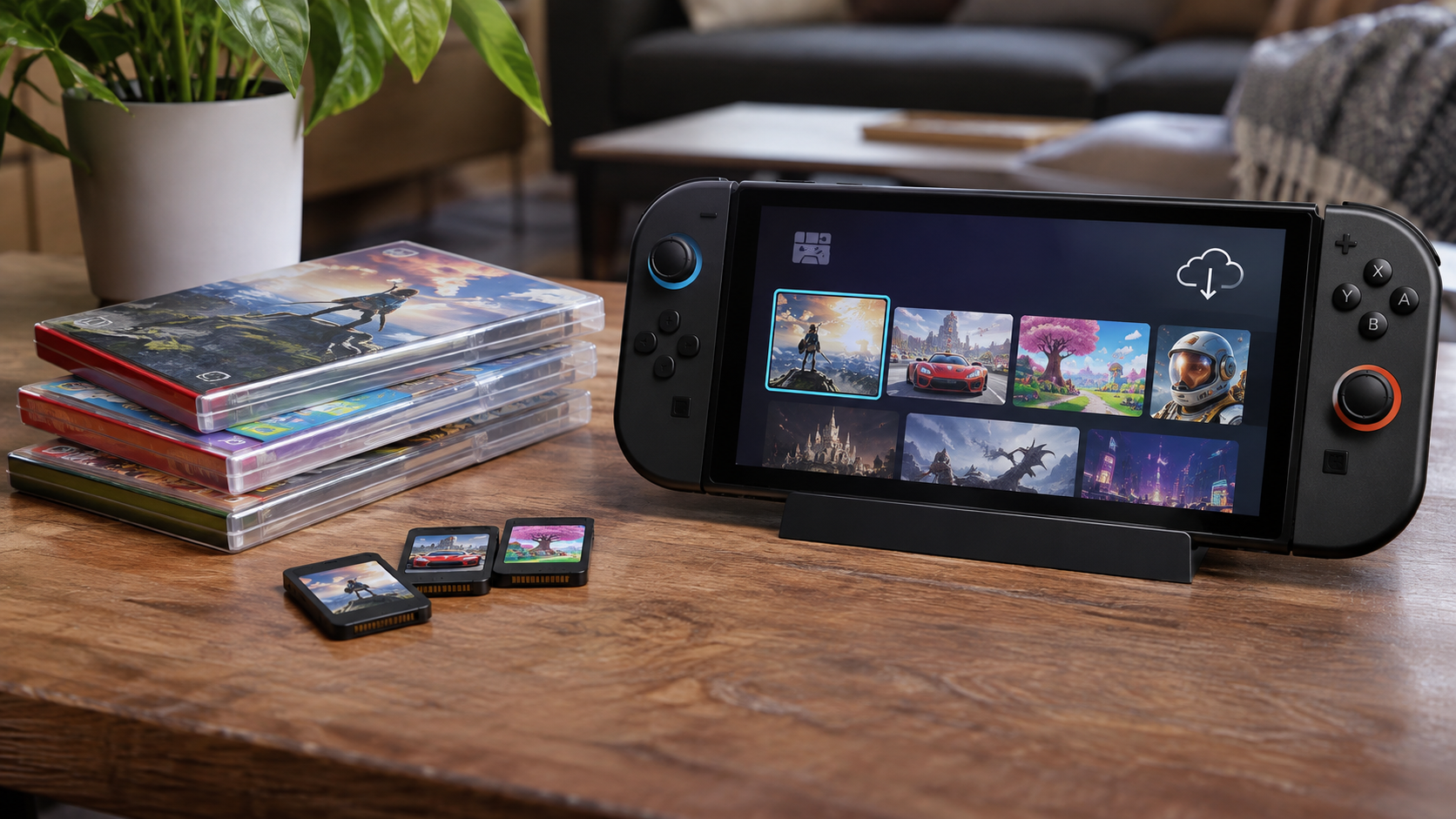


A Nintendo Switch 2 game looks like an easy holiday gift until the packaging reveals something unexpected. One box contains a complete game card, another contains a Game-Key Card that requires a full download, and a third may offer nothing more than a redemption code.
The biggest difference between physical and digital Switch 2 games is no longer simply whether the game comes in a box. The format affects how the game is installed, whether it can be resold, how family members share it, and what happens when the console has limited storage or no internet connection.
With Black Friday falling on November 27, 2026, followed by Cyber Monday on November 30, these details are especially important for anyone shopping for Christmas gifts or expanding a game collection. A cheaper digital version may be convenient, but a physical copy can offer better long-term flexibility. Even that depends on what is actually inside the package.
For most buyers, the decision comes down to three questions: Will the game be shared or resold? Does the player have enough storage and reliable internet? And is the recipient using the right Nintendo console and account region?
Switch 2 Physical vs Digital Games – Which Format Is Better?
Physical Switch 2 games are generally better for players who want to lend or resell a transferable card. Digital Switch 2 games are more convenient for players who prefer downloading games directly to their console, switching between titles without changing cartridges, and managing purchases through a Nintendo Account.
However, there is a third option that changes the comparison. Nintendo Switch 2 supports Game-Key Cards, which are physical cards that unlock a downloadable game rather than storing the complete game software.
This creates three distinct purchasing choices:
- Regular physical game card: Contains the game software and can be moved between compatible consoles. Updates or additional content may still require downloads.
- Game-Key Card: Contains a physical authorization key, but the full game must be downloaded. The card remains necessary every time the game is played.
- Digital game: Downloaded through Nintendo eShop and associated with the Nintendo Account used for the purchase or code redemption.
A fourth retail format, a box containing a download code, should not be confused with either kind of physical game card. It may look like a boxed game on a store shelf, but the purchase is redeemed digitally.
For someone buying Nintendo Switch 2 games as a gift, identifying the exact format is more important than choosing between the words "physical" and "digital."
Nintendo Switch 2 Physical vs Digital Games Comparison Table
The most useful comparison considers ownership, storage, offline access, and resale rather than packaging alone. These features determine how easily the recipient can use the game today and what options remain afterward.
| Feature | Regular game card | Game-Key Card | Digital game |
| Physical card included | Yes | Yes | No |
| Full game stored on card | Generally yes | No | No |
| Full-game download required | Not normally, but exceptions and updates exist | Yes | Yes |
| Requires storage for full download | Usually no | Yes | Yes |
| Card must stay inserted | Yes | Yes | No |
| Offline play | Generally, once ready | After initial download and first launch | With a loaded Virtual Game Card, once ready |
| Can lend to a friend | Yes, by handing over the card | Yes, by handing over the card | Limited family-group lending |
| Can resell the game | Generally yes | Generally yes | Not as a separately transferable game purchase |
| Linked to Nintendo Account | Not for basic card ownership | No account required for initial game-data download | Yes |
| Risk of losing the card | Yes | Yes | No physical card to lose |
| Best suited for | Collectors, sharing, resale | Physical transferability with downloads | Convenience and digital libraries |
The table highlights an important distinction: a Game-Key Card combines the physical requirements of a cartridge with the storage demands of a digital download.
For players with slow internet or little remaining storage, a regular game card is usually the more practical physical option. For households that frequently switch between games, a digital library can be more convenient.
What Are Nintendo Switch 2 Game-Key Cards and Why Do They Matter?
Game-Key Cards are physical Nintendo Switch 2 cards that contain an authorization key instead of the full game data. They require an internet connection and sufficient storage to download the software before it can be played.
The card itself is still essential. Downloading the game does not eliminate the need to insert the Game-Key Card whenever the player wants to launch it.
How Do Switch 2 Game-Key Cards Work?
A Game-Key Card is used much like a regular cartridge after the initial setup. The main difference appears when the player launches the game for the first time.
The process follows five steps:
- Insert the Game-Key Card. Place it in the Nintendo Switch 2 game card slot.
- Connect to the Internet. Make sure the console has a working internet connection.
- Download the Game. Follow the instructions displayed on the HOME Menu.
- Complete the Initial Launch. Start the game after the download and required setup are finished.
- Keep the Card Inserted. Use the physical Game-Key Card whenever playing that title.
After the initial launch, a Game-Key Card can generally be used offline without connecting to the internet again. However, the game data must remain installed, and individual games may have separate online requirements.
Nintendo Switch 2 must also have the system software required to support Game-Key Cards. Nintendo specifies version 20.1.1 or later for this feature.
A Game-Key Card is not a one-time download code. The physical card continues to function as the authorization needed to play the installed game.
Can Switch 2 Game-Key Cards Be Resold or Shared?
Yes. Game-Key Cards can be moved between compatible Nintendo Switch 2 consoles, allowing another person to download and play the game using the same physical card.
This makes them different from digital purchases permanently associated with a particular Nintendo Account. The recipient does not need access to the original buyer's account to use the card.
However, the new console must download the game data and complete the necessary first-launch process.
Game-Key Cards therefore retain an important advantage for resale and lending. Their main drawback is that they cannot provide a complete game installation without downloading the software.
How to Tell if a Switch 2 Game Is a Game-Key Card
The easiest way to identify a Game-Key Card is to inspect the packaging before purchasing. Nintendo uses a Game-Key Card indication on the packaging, and the physical card has a key symbol in the upper-right area.
Online listings should also identify the format, although product descriptions are not always equally detailed.
Before purchasing a physical Switch 2 game, check the following:
- Whether the listing specifies a regular game card or Game-Key Card.
- Whether an internet download is required.
- How much storage the game needs.
- Whether the package contains a physical card or only a download code.
- Whether the release is intended for Nintendo Switch 2 or the original Nintendo Switch.
A low price does not compensate for an incompatible or misunderstood format.
If a listing does not clearly explain whether the complete game is on the card, confirm that detail before ordering.
Physical vs Digital Switch 2 Games and Storage Requirements
Digital Switch 2 games generally require more system storage than regular physical game cards because the game software must be installed locally. Game-Key Cards also require storage for the full downloadable game, even though they are sold as physical products.
Nintendo Switch 2 includes 256GB of internal storage, but some of that capacity is reserved for the system. The amount available for games is therefore lower than the advertised total.
Do Physical Switch 2 Games Save Storage Space?
Regular physical Switch 2 games can reduce storage requirements because the game software is stored on the card. However, downloadable updates, DLC, and certain additional data may still occupy internal or expandable storage.
This distinction matters for buyers planning to install several large games. A collection of regular physical releases can potentially use considerably less storage than an equivalent collection of full digital downloads.
Game-Key Cards work differently. Since the complete game must be downloaded, they do not provide the same storage advantage.
A physical box should never be treated as proof that the game will use very little storage.
How Much Space Do Digital Switch 2 Games Need?
Digital game sizes vary significantly depending on the title, graphics, audio, and additional content. Some smaller games occupy relatively little space, while larger releases can require many gigabytes.
For example, consider three hypothetical digital games requiring 20GB, 45GB, and 65GB.
Together, those games would occupy 130GB before accounting for updates, DLC, and other downloaded content. That is more than half of the console's advertised 256GB internal capacity.
The example illustrates why storage planning matters when buying several digital games during holiday sales. Actual download sizes should always be checked on each game's store listing.
Can Switch 2 Use a Regular microSD Card?
No. Nintendo Switch 2 requires microSD Express cards for expandable game storage. Standard microSD cards used with the original Nintendo Switch cannot serve as ordinary expanded storage for Switch 2 game installations.
Compatible microSD Express cards can store downloaded software, updates, DLC, and supported media.
Game save data is stored in the console's internal system memory, not on the microSD Express card. Moving or replacing an expansion card does not move the player's save files with it.
When buying a game as a gift, an additional storage card may be useful if the recipient already has a substantial digital library. However, it is not automatically necessary for every new game purchase.
How to Check Storage Before Buying Switch 2 Games
The console's Data Management settings show available internal and expandable storage. This information helps determine whether another large game can be installed immediately.
To check the available space:
- Open the HOME Menu. Select System Settings.
- Find Data Management. Open the console's storage information.
- Review Available Capacity. Check internal memory and any compatible microSD Express card.
- Compare the Game Size. Look at the title's download requirements before purchasing.
- Remove Unused Software if Necessary. Delete or archive game software that is not currently needed, while checking how save data is preserved.
Deleting downloaded game software does not normally delete the associated save data. Purchased digital software can generally be downloaded again using the Nintendo Account that owns it, subject to the service and software remaining available.
Can You Play Switch 2 Physical and Digital Games Offline?
Both physical and digital Switch 2 games can support offline play, but the conditions differ. Regular game cards are generally the most straightforward option when avoiding downloads is a priority.
Game-Key Cards and digital games can also work offline after the necessary initial setup. However, downloadable software and online-dependent games introduce additional requirements.
Are Physical Nintendo Switch 2 Games Better for Traveling?
Regular physical game cards are particularly convenient for trips where internet access may be unreliable. Once the game is ready to play, the player can generally insert the card and launch it without downloading the entire game.
However, certain games may require updates, downloads, or online services. Always inspect the requirements of the specific title.
Game-Key Cards are less convenient when first opened during a trip because they need a full download and initial online launch. Completing that process before leaving home solves much of the problem.
Digital games can be equally practical for travel once installed and loaded as Virtual Game Cards.
Can Digital Switch 2 Games Work Without Internet?
Yes. A digital game loaded as a Virtual Game Card can generally be played offline after the initial loading and launch requirements have been completed.
An alternative feature, Online License Settings, allows qualifying digital games to run without loading a Virtual Game Card. However, this option requires an internet connection to start the game and may suspend gameplay when the console remains disconnected for a period.
The difference matters when traveling, commuting, or using a console where internet access is unpredictable.
For reliable offline digital play, load the Virtual Game Card and complete any required downloads before leaving home.
What Happens if Nintendo Switch 2 Servers Are Unavailable?
Games that depend on online authentication, downloads, or online services may be affected by service interruptions. A regular physical game card containing playable software generally has fewer initial download dependencies.
Game-Key Cards present an additional consideration because the game software must be downloaded from Nintendo's distribution infrastructure. If the required download is unavailable, a fresh installation cannot be completed through the normal process.
Digital purchases also depend on access to the relevant software and licensing services when games need to be downloaded or licenses managed.
Neither format guarantees indefinite availability of online features, updates, or multiplayer services. For collectors concerned about long-term offline access, the exact contents of a regular game card are especially important.
Sharing Switch 2 Physical vs Digital Games With Friends and Family
Physical Switch 2 games remain easier to lend outside a household because a compatible game card can simply be handed to another player. Digital games now offer more flexibility through Virtual Game Cards, but lending follows specific account and console restrictions.
This is one of the most important differences for families with multiple Nintendo consoles.
Can You Share Physical Switch 2 Games Between Consoles?
Yes. Regular game cards and Game-Key Cards can be moved between compatible Nintendo Switch 2 consoles. Each console reads the inserted card, and only the system holding it can use that physical copy.
The process is straightforward, although a Game-Key Card may require the game data to be downloaded on each new console.
Save data does not travel with the card. Each user's progress is stored on the console.
For two children using separate Nintendo Switch 2 systems, a shared physical game can work well when they take turns. However, they cannot both use the same physical card on different consoles simultaneously.
How Does Nintendo's Virtual Game Card Lending Work?
Virtual Game Cards allow eligible digital games to be lent to members of the lender's Nintendo Account family group. A loan lasts up to 14 days, after which the virtual game card is automatically returned.
The feature offers a form of digital lending, but it is not equivalent to giving a physical cartridge to anyone.
Important restrictions include:
- The borrower must belong to the lender's Nintendo Account family group.
- Both consoles must be nearby for the lending process, using local wireless communication and internet connectivity.
- A lender may have up to three different Virtual Game Cards lent out simultaneously.
- A borrower can have only one borrowed Virtual Game Card at a time.
- The lender cannot play a game while its Virtual Game Card is lent out.
- Certain software cannot be lent through the feature.
Borrowers retain their save data after the 14-day loan ends. If the game is borrowed again or purchased later, they can continue from their previous progress where supported.
Digital family lending is useful, but it does not replace unrestricted physical game sharing.
Can Two People Play the Same Digital Switch 2 Game at Once?
One purchased digital game cannot generally be used simultaneously across two consoles through the Virtual Game Card or Online License systems. Loading or lending a license does not create a second independent copy.
A Virtual Game Card can be loaded onto one eligible console at a time. Nintendo Accounts can pair up to two systems for Virtual Game Card management, with additional rules for changing paired systems.
On a console where a Virtual Game Card is loaded, other local users can also access that game. This can be convenient for siblings sharing one Nintendo Switch 2.
For two people wanting to play the same title independently on separate consoles at the same time, two licenses or copies may be necessary.
Is GameShare the Same as Digital Game Lending?
No. Nintendo's GameShare feature lets compatible games be shared temporarily for supported multiplayer sessions. It is different from lending a Virtual Game Card for 14 days.
GameShare requires participating software and compatible consoles. It does not permanently transfer a game license or grant unrestricted access to the title.
For families comparing physical and digital Switch 2 games, the distinction is important. A game supporting GameShare may offer convenient multiplayer functionality regardless of the broader ownership question, but its specific sharing features should be checked individually.
Can You Resell Digital Nintendo Switch 2 Games?
Digital Nintendo Switch 2 games cannot normally be resold as individual, transferable purchases. They are associated with the Nintendo Account used to buy or redeem them.
Regular game cards and Game-Key Cards, by contrast, are transferable physical items that can generally be sold, traded, or given away.
Are Physical Switch 2 Games Better Value Long-Term?
Physical Switch 2 games can offer better long-term value for players who frequently finish and resell games. The ability to recover part of the original purchase price reduces the effective cost of playing.
Consider a hypothetical example:
- A physical game costs $70.
- The player finishes it and later resells it for $40.
- The effective purchase cost becomes $30, excluding any transaction fees.
Now consider the same title as a $60 digital purchase. If the buyer cannot resell it, the effective cost remains $60.
This example does not establish typical resale prices. Secondhand values vary widely by title, condition, demand, retailer, and market.
A cheaper digital price does not always mean lower total ownership cost if resale is part of the plan.
Do Switch 2 Physical Games Lose Value?
Yes. Physical game values can decline as more used copies become available, demand changes, or retailers discount new copies.
Some games hold their resale value better than others, but there is no guarantee that a specific title will remain desirable.
Game-Key Cards may also be perceived differently from full-data cartridges by collectors who prioritize physical preservation. Their resale value depends on demand and the ability to obtain the necessary download.
A game purchased primarily for playing should not be treated as a guaranteed investment.
Can You Sell a Nintendo Account With Digital Games?
Selling a Nintendo Account is not a legitimate substitute for reselling individual digital games. Nintendo Account access and digital purchases are governed by the platform's account and service rules.
Sharing credentials also introduces security and privacy risks. A Nintendo Account may contain payment information, purchase history, personal details, and access to other services.
For someone who wants the freedom to sell games after finishing them, a physical card is the more appropriate choice.
Are Switch 2 Physical or Digital Games Cheaper in 2026?
Neither physical nor digital Switch 2 games are consistently cheaper across every title, retailer, or region. Prices vary by publisher, release, promotion, and local market conditions.
Some games have different official prices for physical and digital editions. Retail discounts can further change the comparison, especially during Black Friday and the holiday season.
How to Compare Switch 2 Game Prices Before Black Friday
The safest approach is to compare the exact edition and purchasing format rather than relying on a headline discount. A boxed game, Game-Key Card, digital license, and collector's edition may have different prices even when their names look similar.
Before buying, verify these details:
- Confirm the Exact Game Edition. Distinguish the original Nintendo Switch release from the Nintendo Switch 2 version and any upgrade pack.
- Identify the Format. Check for a regular card, Game-Key Card, download code, or direct digital purchase.
- Compare Final Prices. Include shipping, taxes where applicable, and other unavoidable charges.
- Check Storage Requirements. Consider whether an additional microSD Express card will be needed.
- Review Return Conditions. Digital purchases, opened games, and redeemed codes may have different return restrictions.
- Consider Resale Value. Account for the possibility of selling a transferable physical game later.
- Check Regional Compatibility. Make sure the recipient can use the specific product.
The lowest upfront price does not always produce the most useful purchase.
Holiday shoppers comparing several electronics purchases can also use the Black Friday tech buying checklist to evaluate promotions, avoid misleading discounts, and check important specifications before ordering.
Should You Wait Until Cyber Monday for Digital Switch 2 Games?
Not necessarily. Cyber Monday 2026 falls on November 30, but there is no guarantee that a specific digital game will be cheaper on that date than during an earlier promotion.
Physical retailers and Nintendo eShop can run different promotions with different start and end dates. A game may be discounted in one format without receiving a comparable reduction in the other.
Set a target price for the exact edition before the sale period. If a verified offer already meets that target, waiting for a hypothetical lower price introduces the risk of missing the available discount.
Switch 2 Game Regions Explained – Will a Gift Work Abroad?
Nintendo Switch 2 game cards are not region-locked, but regional differences can still affect downloadable content, digital codes, language options, and customer support. This makes international gifting more complicated than simply checking whether a cartridge fits.
The distinction is particularly relevant when purchasing games between the United States, United Kingdom, European Union, and other markets.
Are Physical Nintendo Switch 2 Games Region-Free?
Nintendo states that Nintendo Switch 2 game cards are not region-locked. However, it does not guarantee complete compatibility, service availability, or support for every overseas release.
A physical game purchased in another region may work on a compatible console, but language support and associated downloadable content need separate verification.
For example, a player in Europe buying a North American physical release should check whether the desired languages are included and whether additional content will work with the intended account region.
Some region-specific hardware variants can also introduce limitations, making the console model important when buying internationally.
Are Digital Switch 2 Games Region-Locked?
Digital purchases and redemption codes are subject to Nintendo eShop country and region requirements. The Nintendo eShop country is determined by the country selected in the Nintendo Account settings.
A download code intended for one region cannot necessarily be redeemed using an account registered in another.
Nintendo eShop prepaid cards are also restricted to their intended country or region.
A digital gift card purchased for the wrong Nintendo eShop region may be unusable by the recipient. Confirm the account's country setting before buying.
Can DLC From One Region Work With a Physical Game From Another?
Not always. DLC and Nintendo Switch 2 Edition upgrade-pack compatibility can depend on the region and the specific software.
For example, a physical game purchased in one market may not work correctly with downloadable content bought through a different regional eShop.
The safest approach is to match the game and its DLC or upgrade pack to the same supported region. This is especially important for bundles, season passes, and games expected to receive additional content later.
Can You Gift Digital Nintendo Switch 2 Games Directly?
Nintendo eShop does not offer a direct feature for sending a game purchase as a gift to another Nintendo Account. However, a digital gift can be arranged using a compatible prepaid Nintendo eShop card or a valid game download code purchased from an authorized seller.
These options give recipients different levels of choice.
Physical Game vs Nintendo eShop Gift Card
A physical game is a good option when the recipient has specifically requested a title and the console model is known. It provides a tangible present and may allow the recipient to lend or resell the card later.
A Nintendo eShop gift card is more flexible when the buyer does not know which games the recipient already owns. The recipient can select a suitable game and redeem the funds through the correct regional eShop.
For younger players, parents may prefer to manage how digital funds are used. Account permissions and purchasing restrictions should be checked before gifting.
Can You Buy a Switch 2 Download Code as a Gift?
Yes. Authorized retailers may sell download codes for certain Nintendo Switch 2 games. The recipient redeems the code using the appropriate Nintendo Account and regional eShop.
A download code is different from a Game-Key Card.
A code is generally redeemed once and associated with the Nintendo Account used for redemption. A Game-Key Card remains a physical item that must be inserted to authorize play and can be moved between compatible consoles.
Never confuse a download-code box with a transferable physical game card.
Should You Buy the Game on Your Own Nintendo Account as a Gift?
No, not when the intention is to give the recipient independent ownership of the digital purchase. Nintendo eShop games are associated with the account that buys or redeems them and cannot simply be moved to someone else's Nintendo Account afterward.
A recipient may be able to access eligible software through permitted family sharing, but that is not the same as owning the purchase.
For a digital present, a region-compatible gift card or legitimate download code is usually more appropriate.
Which Switch 2 Games Work on the Original Nintendo Switch?
Nintendo Switch 2-exclusive games cannot be played on the original Nintendo Switch. However, Nintendo Switch 2 can run many compatible games released for the original system, both physical and digital.
Some older games have compatibility limitations, while others receive free updates or optional paid enhancements.
Can You Play Original Switch Physical Games on Switch 2?
Many original Nintendo Switch game cards work on Nintendo Switch 2. The console supports backward compatibility for a broad selection of older software, although individual titles can have limitations.
This is useful for anyone upgrading from Nintendo Switch, Switch OLED, or Switch Lite. Existing physical collections can remain valuable without requiring every game to be purchased again.
A recipient who still owns an original Nintendo Switch should receive a compatible original Switch release rather than a Switch 2-exclusive card.
Readers comparing older hardware can review the Nintendo Switch and Switch Lite differences to understand the original models' capabilities and limitations.
What Is a Nintendo Switch 2 Edition Game?
A Nintendo Switch 2 Edition is an enhanced version of a compatible Nintendo Switch game. Depending on the title, enhancements may include better performance, improved graphics, additional features, or new content.
Some games offer paid upgrade packs for existing owners, while selected titles receive free compatibility or performance updates.
Physical Nintendo Switch 2 Edition releases may contain the original game and the upgrade content together on one game card. However, some publishers may use download-code packaging.
Before purchasing an enhanced edition, verify whether the recipient already owns the original game and can buy a less expensive upgrade instead.
Can You Transfer Digital Games From Switch to Switch 2?
Yes. Eligible digital games purchased for Nintendo Switch remain associated with the relevant Nintendo Account and can be accessed on Nintendo Switch 2 when compatible.
Nintendo provides system transfer options for moving user information, digital game access, and supported save data to the newer console.
However, transferring the purchase entitlement and transferring saved progress are separate considerations.
A system transfer can move eligible data, but the exact treatment of save files depends on the transfer method and software compatibility. Review these details before resetting or selling the original console.
Do Physical and Digital Switch 2 Games Use the Same Save Data?
Physical and digital versions of the same compatible Nintendo Switch 2 game can generally use the same save data when played by the same user. Save files are stored in the console's internal system memory rather than on the physical game card.
This means switching between compatible physical and digital editions does not normally require starting the game again.
However, title-specific differences, software editions, and regional versions can affect save compatibility.
What Happens to Save Data When You Sell a Physical Game?
Selling a physical game card does not automatically remove the player's save files from the Nintendo Switch 2. The progress remains associated with the relevant user on the console.
If the game is purchased again later, the existing save data may be available when the same compatible software is launched.
The buyer of the used card does not receive the seller's progress because the save data is not stored on the cartridge.
Does Deleting a Digital Switch 2 Game Delete Your Progress?
Normally, no. Deleting downloaded game software does not remove its associated save data from the console's internal memory.
This makes it possible to free storage space without necessarily losing progress. However, deleting a user account can remove the save files associated with that user.
Nintendo Switch Online provides cloud save functionality for supported games, although not every title supports the feature.
A game being available for redownload does not guarantee that its save data can be restored after a console is lost or reset. Important progress should be backed up using the methods supported by the individual game.
Which Switch 2 Game Format Is Best for Kids and Families?
Physical Switch 2 games are often practical for families that want to pass a game between children or manage purchases without separate digital accounts. Digital games can be convenient for a shared console, especially when each child has an individual user profile.
The better choice depends on whether children use one console or several.
One Switch 2 Shared by Multiple Children
For a household with one Nintendo Switch 2, digital games can be convenient because a loaded Virtual Game Card can be used by other users on that console.
Each child can generally maintain separate save data through an individual user profile, subject to the game's save system.
Physical cards work well too, but someone must manage the cartridges and swap them when necessary.
A protective storage case can help prevent small game cards from being lost.
Two Switch 2 Consoles in One Family
With two consoles, physical game cards are easy to share when children take turns. The card moves between systems, and each console maintains the relevant user's save data.
Digital Virtual Game Cards can also be moved between two appropriately paired consoles, but only one console can have a particular Virtual Game Card loaded at a time.
Family-group lending introduces further flexibility for eligible games, although the 14-day limit and borrowing restrictions must be considered.
If both children regularly want to play the same title simultaneously on separate systems, purchasing two copies may be necessary.
Are Digital Games Better for Younger Children?
Digital games remove the risk of losing tiny cartridges and make switching titles convenient. However, digital purchasing also requires attention to account settings, payment permissions, and parental controls.
A physical game can provide a clearer, tangible boundary around purchases. Parents can also choose appropriate games without placing additional funds in a child's account.
Neither format determines whether a game is suitable for a particular age. Age ratings, content warnings, multiplayer features, and spending mechanics should be checked separately.
Physical vs Digital Switch 2 Games for Collectors
Regular physical game cards are generally more appealing to collectors who prioritize owning a transferable object containing playable software. Digital games offer convenience but lack the physical packaging and resale flexibility collectors may value.
Game-Key Cards occupy a middle ground. They provide a tangible collectible and transferable card, but the actual game software depends on a download.
Are Switch 2 Game-Key Cards Worth Collecting?
Their value depends on the collector's priorities. Someone interested in complete physical packaging may still appreciate a Game-Key Card, while someone concerned about long-term offline preservation may prefer a regular game card containing the software.
The difference is meaningful because a Game-Key Card does not independently contain the complete playable game.
Collectors should inspect the exact release rather than assuming every boxed edition preserves the same amount of software.
Are Digital Switch 2 Games Better for Large Collections?
Digital libraries are more convenient to browse and manage without handling cartridges. They also reduce physical storage needs outside the console.
However, large digital collections require installation management and depend on the account used to purchase the games.
For players who regularly switch between numerous titles, the convenience can outweigh resale restrictions. For those who enjoy displaying game boxes or trading completed games, physical editions retain clear advantages.
7 Mistakes to Avoid When Buying Switch 2 Games as Gifts
The most expensive mistakes when buying Nintendo Switch 2 games usually involve choosing the wrong edition, misunderstanding Game-Key Cards, or ignoring account and regional restrictions.
A brief check before payment can prevent most of these problems.
Mistake 1. Assuming Every Physical Game Contains the Full Software
Not every boxed Switch 2 game contains a regular game card with the complete software. Some use Game-Key Cards, while others may contain download codes.
Always identify the actual format before buying. This is especially important for recipients with limited internet access.
Mistake 2. Buying a Switch 2-Exclusive Game for an Original Switch
Nintendo Switch 2-exclusive software does not run on the original Nintendo Switch. This includes Switch Lite and Switch OLED.
Check the console model and the game's platform designation. Similar packaging or familiar franchises do not guarantee backward compatibility.
Mistake 3. Ignoring Download and Storage Requirements
Game-Key Cards and digital games require full software downloads. A large game may not fit into the console's remaining storage.
Check the game's size and the available capacity before purchasing. If additional storage is needed, make sure it is a compatible microSD Express card.
Mistake 4. Choosing a Digital Code for the Wrong Region
Digital download codes and Nintendo eShop cards have regional requirements. A valid code bought in one country may not work with the recipient's account settings.
Confirm the eShop country before payment. Do not assume that region-free physical cartridges mean all digital purchases are equally flexible.
Mistake 5. Expecting Digital Games to Have Unlimited Sharing
Virtual Game Card lending is restricted to eligible family-group members and has a 14-day loan period. The same purchased game cannot ordinarily be played simultaneously on multiple consoles through a single license.
If two people need independent access at the same time, check whether separate purchases are required.
Mistake 6. Forgetting Resale and Return Restrictions
Digital purchases cannot normally be resold individually. Physical games may have greater resale flexibility, but retailers can apply different return conditions to opened products and redeemed codes.
Check the return policy before purchasing an unfamiliar game as a gift. A refundable physical copy can provide more flexibility than an already redeemed digital license.
Mistake 7. Buying an Upgrade the Recipient Already Owns
Some Nintendo Switch games have Switch 2 Editions or upgrade packs. A player who owns the original game may already have access to an upgrade option.
Check the recipient's existing library before buying a duplicate edition. The most useful gift is not necessarily the most expensive version on the shelf.
Physical or Digital Switch 2 Games – The Best Choice for Each Player
The best format depends on how the recipient uses their console. A frequent traveler, a collector, and a family with multiple Nintendo Switch 2 systems may have very different priorities.
A practical decision table makes the final choice easier.
| Player or situation | Better starting choice | Why |
| Collector who wants boxed games | Regular physical game card | Tangible copy and transferability |
| Player who resells completed games | Physical game card | Potential resale value |
| Player with slow internet | Regular physical game card | Avoids full-game initial downloads |
| Player with limited storage | Regular physical game card | Often reduces installation space |
| Player who changes games frequently | Digital | No cartridge swapping |
| Family sharing one console | Either | Both can support multiple local users |
| Family sharing between consoles | Physical or eligible digital lending | Different sharing methods and limits |
| Frequent traveler | Physical or preloaded digital | Both can work offline when ready |
| Gift buyer unsure which game to choose | Region-compatible eShop gift card | Recipient chooses the title |
| Buyer considering a discounted Game-Key Card | Game-Key Card, if requirements are acceptable | Transferable card with full-download requirement |
These are practical starting points, not universal rules. A particular title may be available in only one format, or the price difference may change the decision.
For someone deciding whether Nintendo's ecosystem is the right choice at all, the comparison of Nintendo Switch 2, PlayStation, and Xbox consoles explains the differences in portability, game libraries, and hardware priorities.
When Should You Choose Physical Switch 2 Games?
Physical games are the stronger choice when the buyer values lending, resale, or collecting. Regular game cards are particularly useful when avoiding a full initial download is important.
The advantage becomes less clear with Game-Key Cards, which still require local storage and internet access for setup.
If the game will be passed between several people over time, a transferable physical card provides flexibility that an individual digital purchase cannot fully replicate.
When Should You Choose Digital Switch 2 Games?
Digital games are the more convenient option for players who prefer managing a library through their Nintendo Account. They eliminate cartridge swapping and can be downloaded without visiting a physical store.
Once loaded as Virtual Game Cards and properly installed, supported titles can also be played offline.
Digital ownership works especially well for someone who rarely resells games and frequently switches between titles.
When Does a Game-Key Card Make Sense?
A Game-Key Card makes sense when the buyer wants a transferable physical item but is comfortable downloading the complete game. It can be an acceptable choice when a regular physical release is unavailable or the price is attractive.
However, it does not combine every advantage of traditional cartridges and digital downloads.
It requires both the physical card and locally installed software, making it less convenient for anyone who wants a completely download-free physical collection.
Final Checklist Before Buying Switch 2 Games for Christmas 2026
Buying Nintendo Switch 2 games as holiday gifts becomes much easier when the console, format, region, and recipient's habits are known.
Use this checklist before checkout:
- Confirm whether the recipient owns Nintendo Switch 2 or an original Nintendo Switch model.
- Check the exact game title and edition.
- Identify whether the purchase is a regular game card, Game-Key Card, or digital code.
- Verify internet and storage requirements.
- Check the recipient's Nintendo Account region for digital purchases.
- Confirm supported languages and any DLC compatibility requirements.
- Consider whether the game will be shared or resold.
- Compare the final physical and digital prices.
- Review return restrictions and retailer reliability.
- Check whether the recipient already owns the game or an eligible upgrade.
- Make sure the game is appropriate for the recipient's age and interests.
For most gifts, a regular physical game card is the safer choice when the exact game is known and the recipient values sharing or resale. Digital purchases make more sense when convenience is the priority, while a region-compatible Nintendo eShop gift card can be preferable when the recipient's game preferences are uncertain.
The most important lesson for holiday 2026 is that physical and digital Switch 2 games are not simply two versions of the same purchase. Game-Key Cards, Virtual Game Cards, download codes, and account restrictions change what buyers actually receive.
Choosing the format carefully can save money, prevent compatibility problems, and make the gift easier to enjoy long after the holidays.
FAQ About Switch 2 Physical vs Digital Games
Physical Switch 2 games are better for players who want transferable cards, potential resale value, and easy lending. Digital games are more convenient because they remain associated with a Nintendo Account and do not require changing cartridges. The best choice depends on storage, sharing habits, and the exact release.
Regular physical game cards generally contain the game software, although updates and additional content may require downloads. Game-Key Cards do not contain the full game and require an internet download before playing. Always check the packaging.
No, digital games cannot normally be resold individually because they are associated with the purchasing Nintendo Account. Regular game cards and Game-Key Cards are transferable physical items that can generally be resold or lent to another player.
A Game-Key Card is a physical card used to download and authorize a game. It must remain inserted during gameplay and can be transferred to another compatible console. A digital purchase is associated with a Nintendo Account and does not require a physical card.
Yes. Eligible digital games can be lent as Virtual Game Cards to Nintendo Account family-group members for up to 14 days. Lending requires nearby consoles and internet connectivity for setup, and several restrictions apply.
Digital games require the full downloadable software to be installed locally. Regular physical game cards generally reduce the need for full-game installations, although updates and DLC use storage. Game-Key Cards require full downloads despite being physical products.
Yes. A digital game loaded as a Virtual Game Card can generally be played offline after the required installation and initial launch. Games with separate online requirements may still need internet access. Online License Settings work differently and require connectivity.
Nintendo Switch 2 game cards are not region-locked, but compatibility, supported languages, DLC, and regional services can vary. Digital codes and Nintendo eShop prepaid cards have country or region restrictions that must be checked before purchasing.
No. Nintendo eShop does not provide direct gifting of purchases between accounts. A compatible Nintendo eShop gift card or legitimate download code can be used instead. The recipient's account country must match the product's applicable regional requirements.
Many original Nintendo Switch physical and digital games are compatible with Nintendo Switch 2. However, some titles have compatibility limitations. Nintendo Switch 2-exclusive games cannot run on the original Nintendo Switch, Switch Lite, or Switch OLED.
Generally, yes, when the same compatible game is played by the same user. Save data is stored in the console's internal memory, not on the game card. Differences between editions or regional software releases can affect compatibility.
A Game-Key Card can be worthwhile when a transferable physical copy is important and the player has reliable internet and sufficient storage. It retains lending and resale flexibility but requires downloading the full game and keeping the card inserted during play.